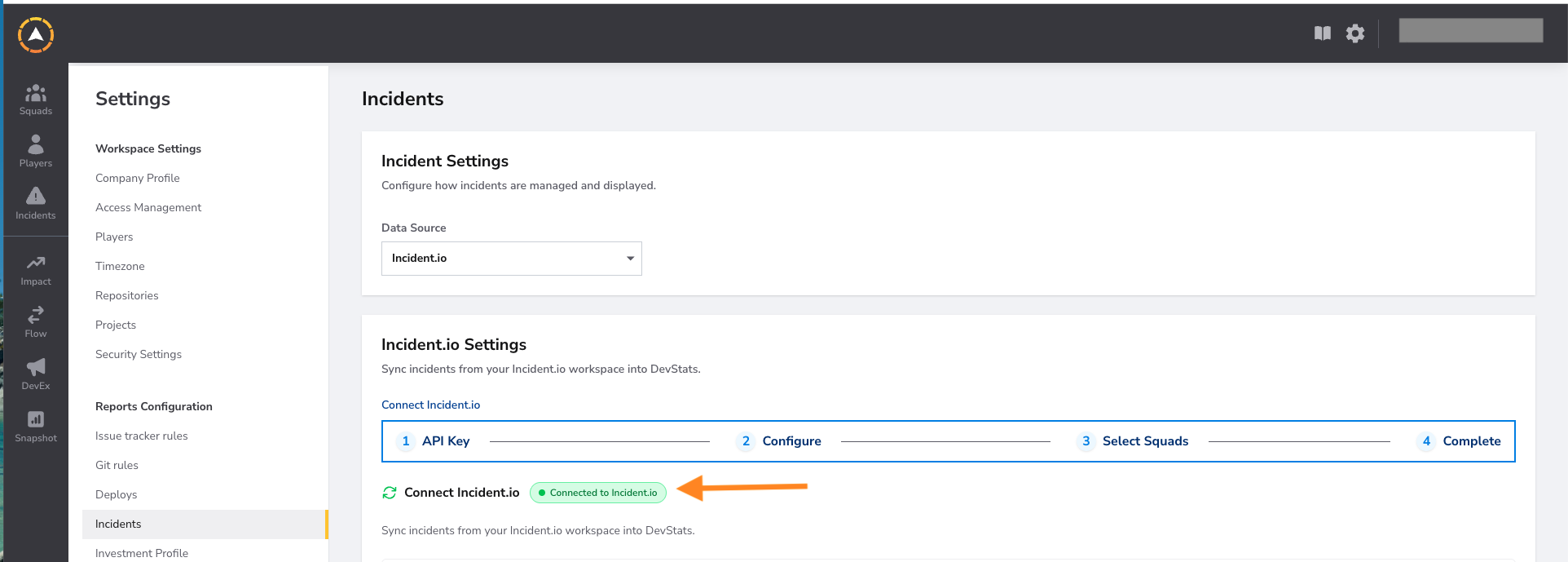
Connecting Incident.io to DevStats allows incidents created in Incident.io to be automatically synced to your workspace, feeding into MTTR and Change Failure Rate calculations in the DORA snapshot.
Connecting Incident.io
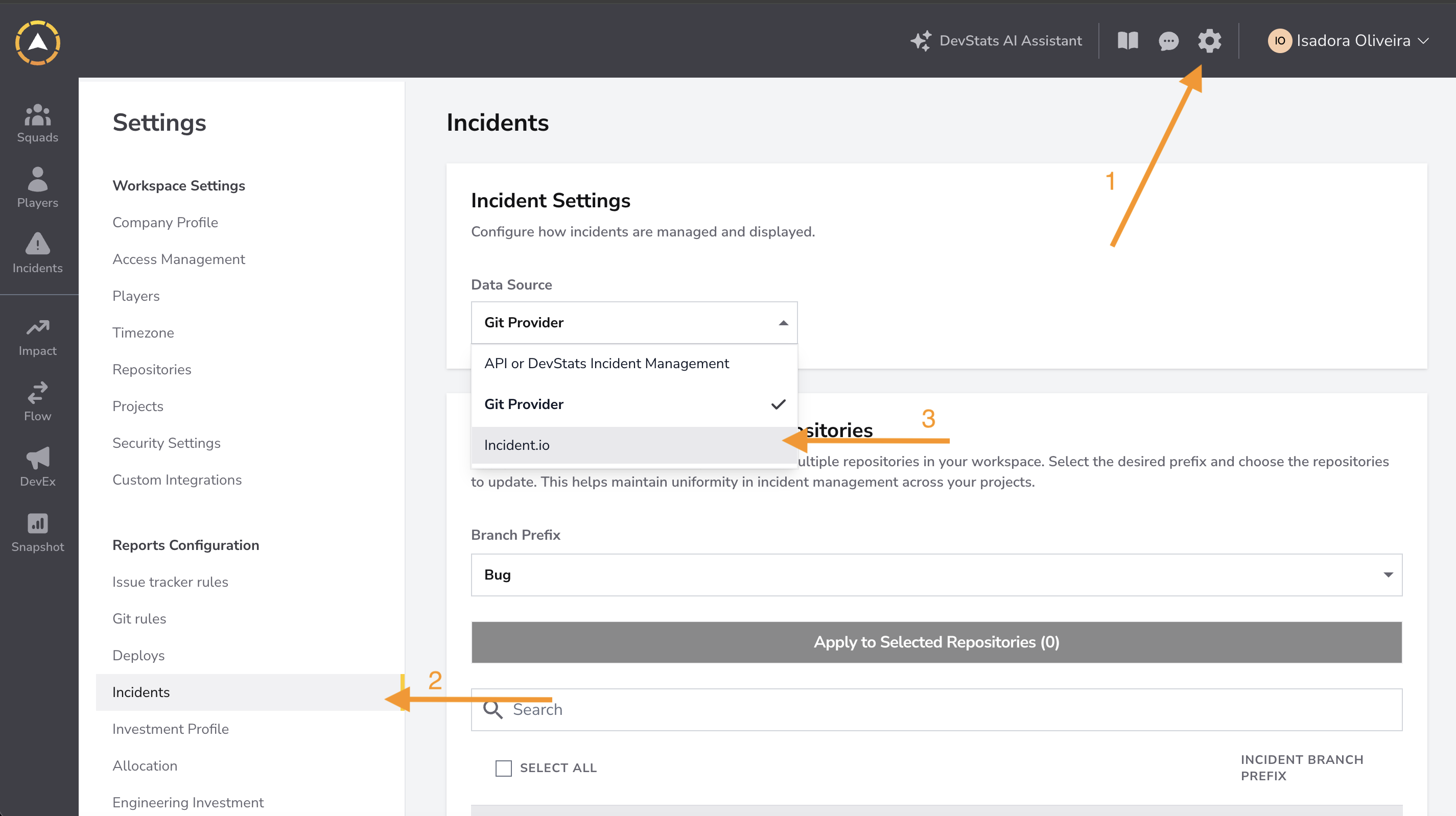
Step 1: Click the settings icon in the top right corner. Under Reports Configuration, click Incidents. Open the Data Source dropdown and select Incident.io.
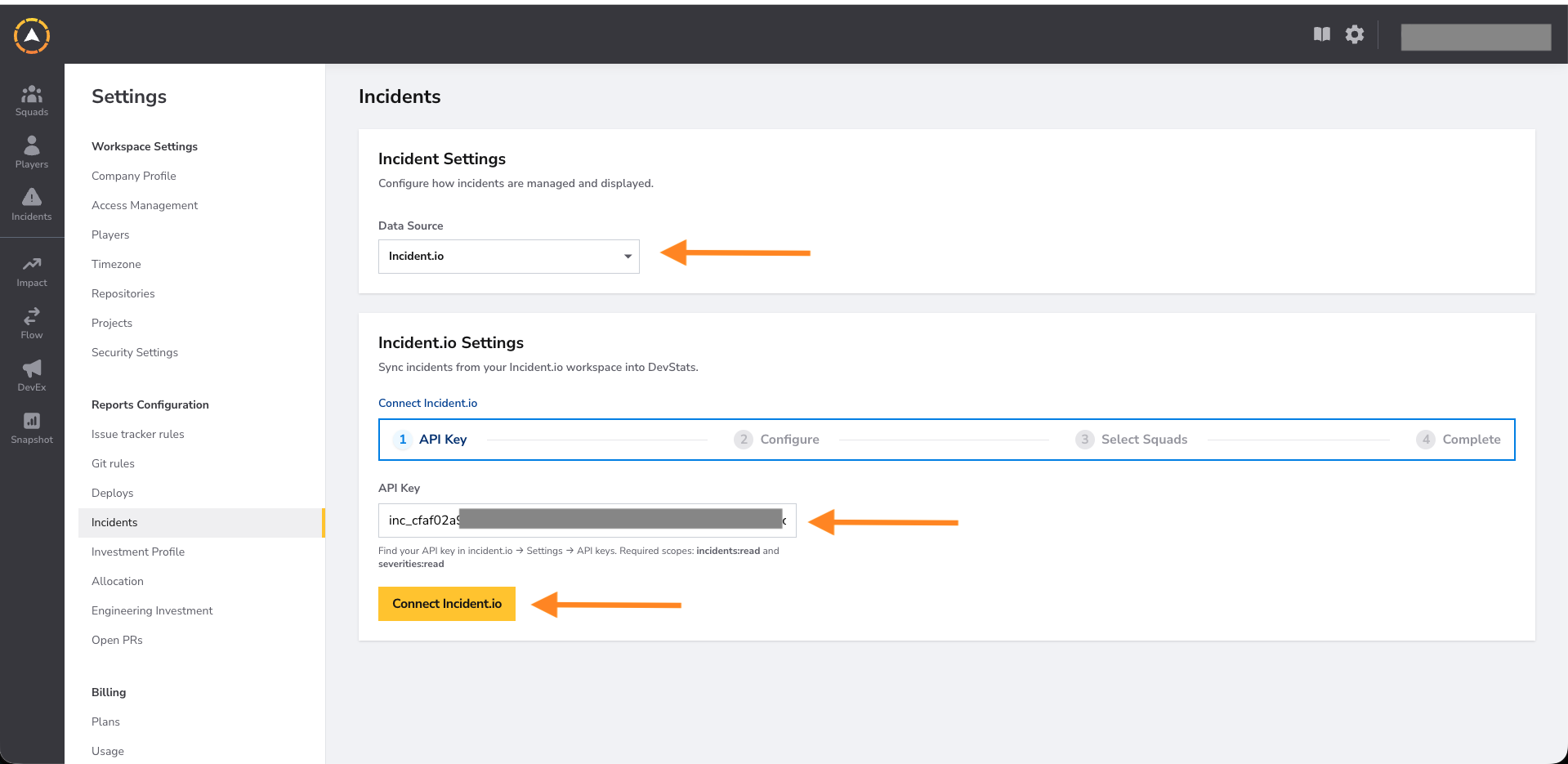
Step 2: Enter your Incident.io API Key and click Connect Incident.io. You can find your API key in Incident.io under Settings.
| Scope | Description |
|---|---|
incidents:read |
Read incidents from your Incident.io workspace |
severities:read |
Read severity levels from your Incident.io workspace |
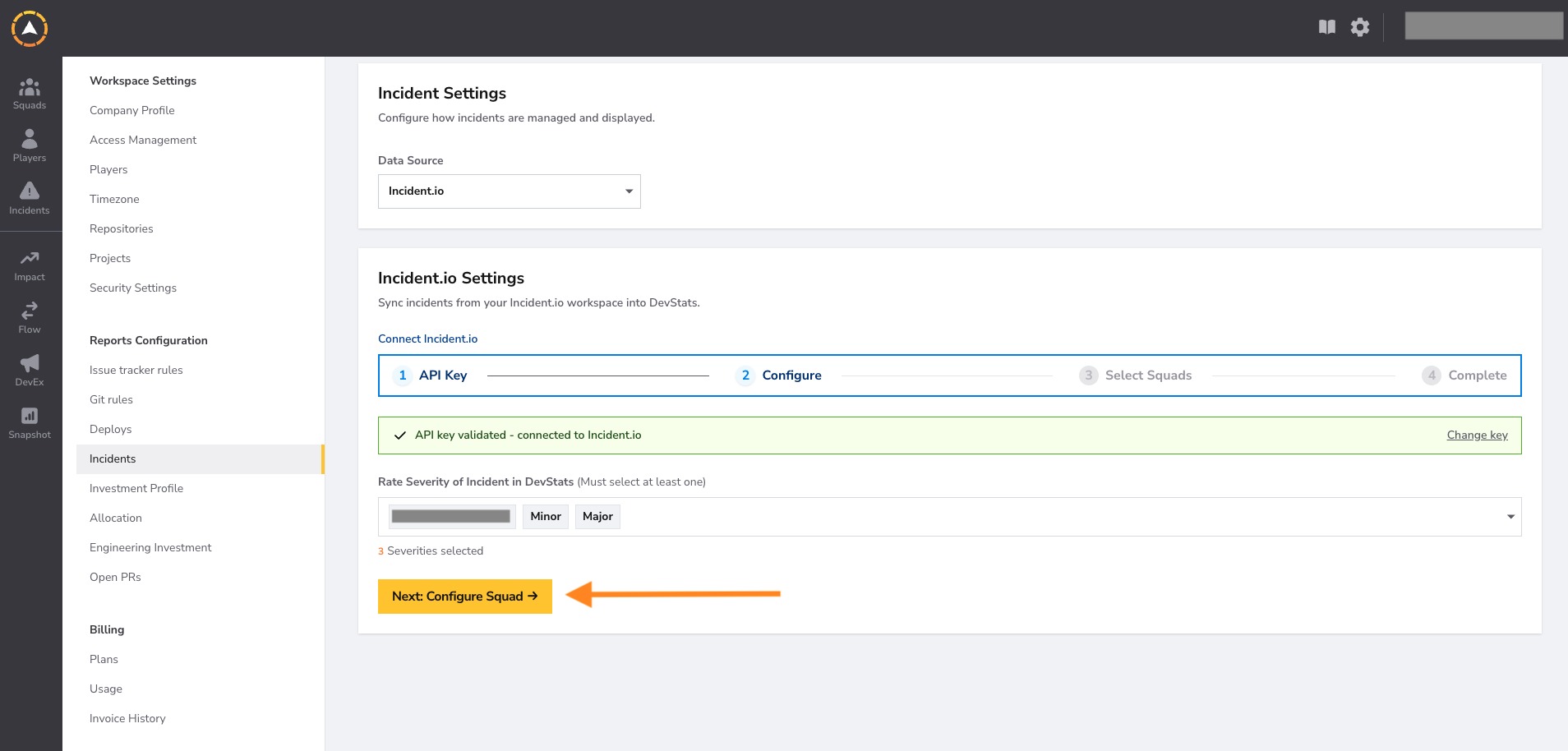
Step 3: Once the API key is validated, open the severity dropdown and select which severity levels in Incident.io should be counted as incidents in DevStats.
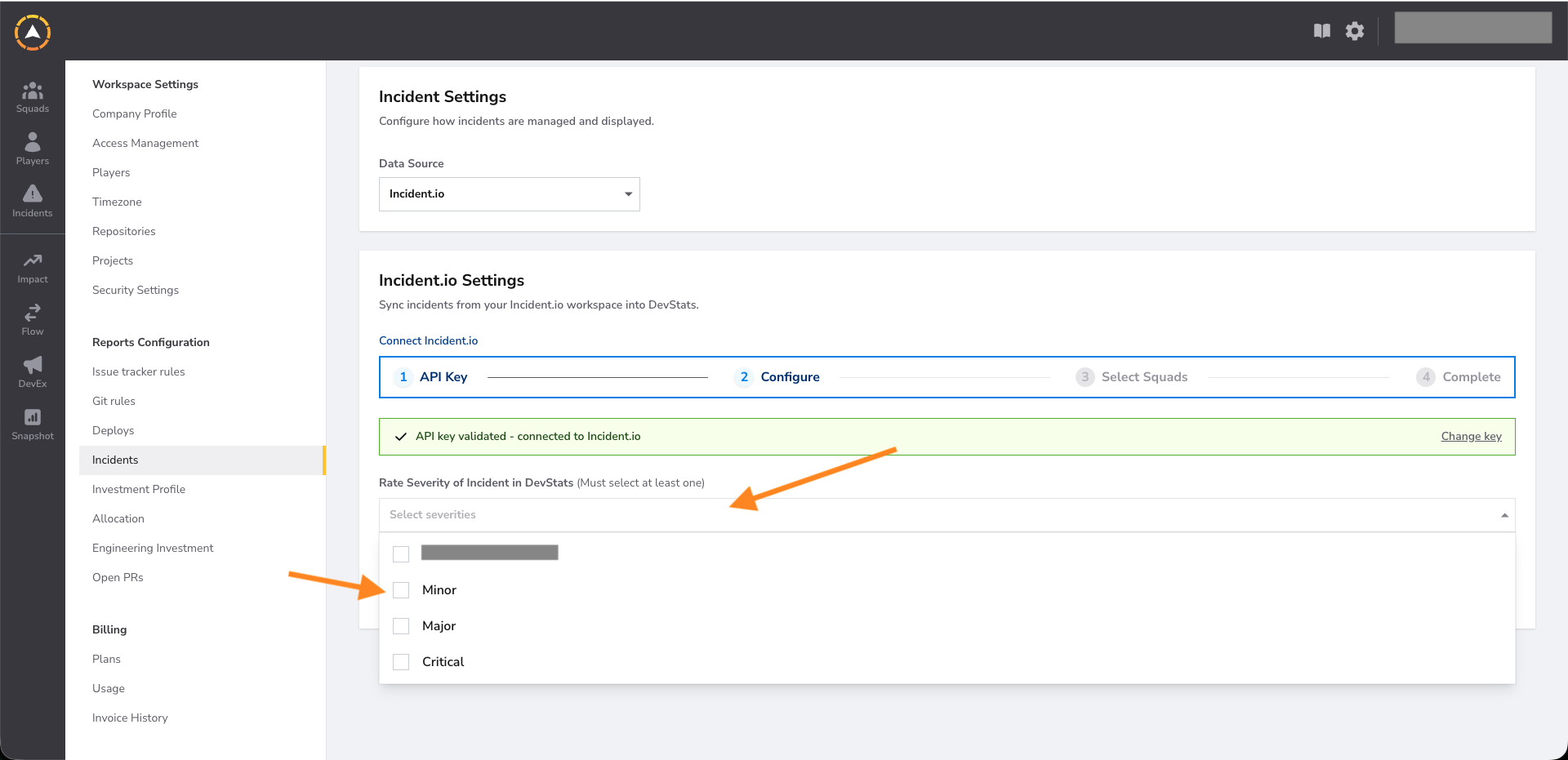
Step 4: With your severities selected, click Next: Configure Squad.
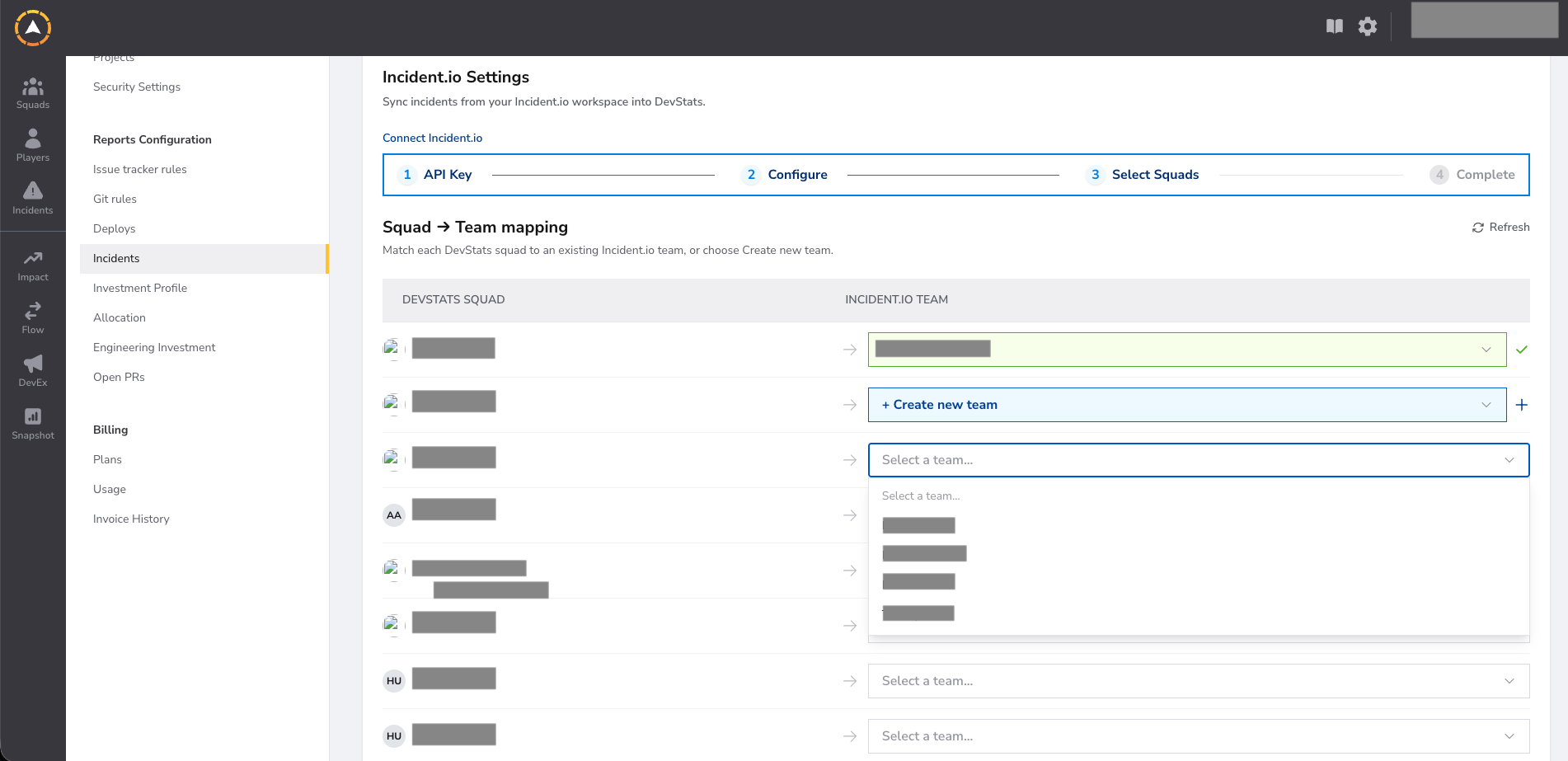
Step 5: Map each DevStats squad to an existing Incident.io team, or create a new team. Unmatched teams will be created automatically.
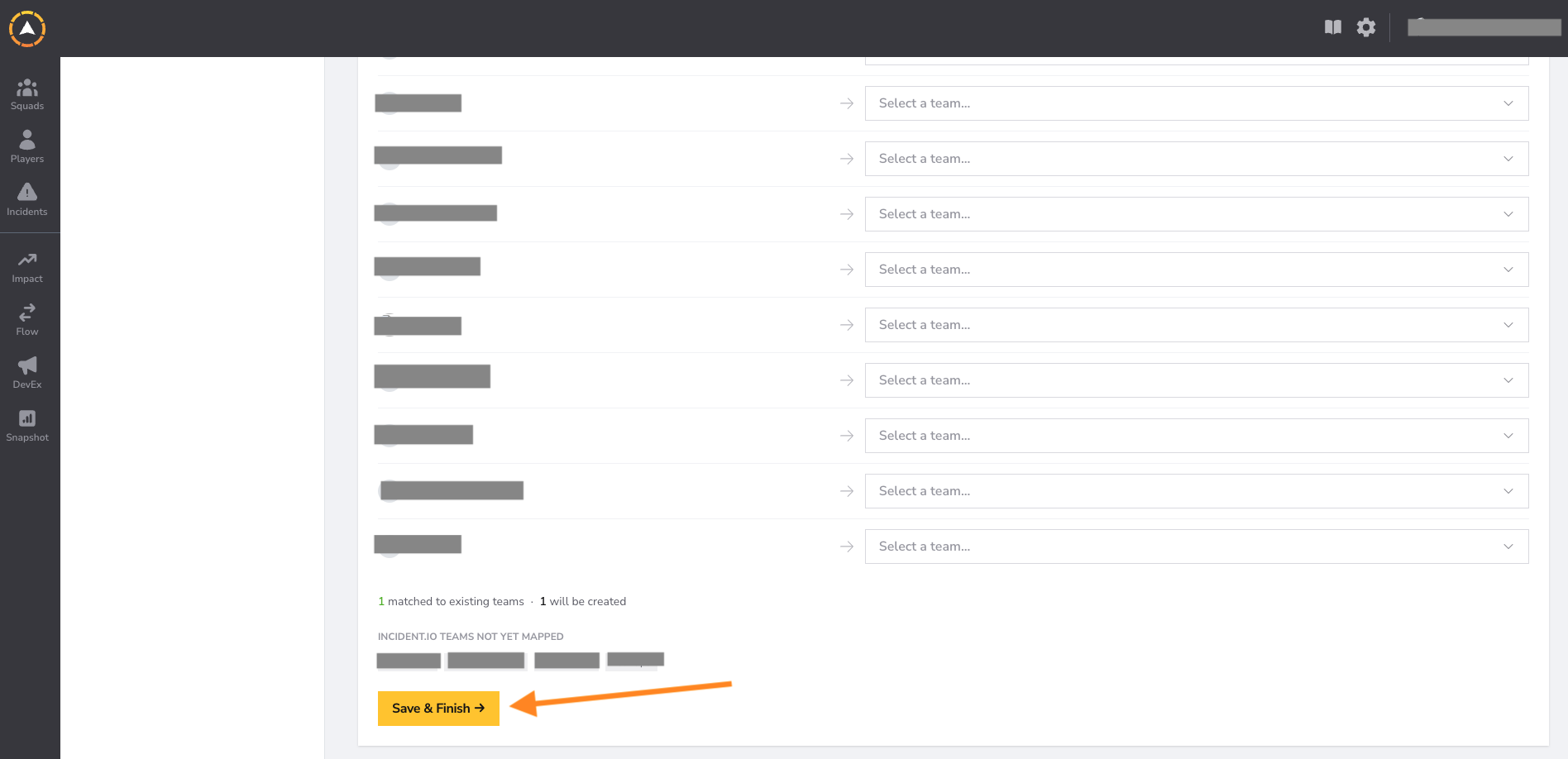
Step 6: Review the squad to team mapping and finalize. Click Save & Finish.
Step 7: The integration is now active. DevStats will sync incidents from Incident.io and use them to calculate MTTR and Change Failure Rate across your squads.