This section allows you to define how code is tracked, organized, and filtered within your workspace. These settings help you maintain clarity and control over your Git activity, ensuring that only relevant code is monitored and evaluated.
Draft Pull Requests & Branches
The "Draft Pull Requests & Branches" setting lets you ignore pull requests and branches marked as drafts to exclude them from metrics.
Configuration Options:
-
Ignore by Keywords or Phrases: Specify words or phrases (in quotation marks, separated by commas) that indicate a pull request or branch is in draft mode.Note:
wip,"my branch name",poc -
For pull requests, the rule applies to the pull request title.
-
For branches, the rule applies to the branch name. Example:
-
Ignore by Regular Expression:Define a regular expression to identify draft pull requests or branches.Note:
- For pull requests, the rule applies to the pull request title.
-
For branches, the rule applies to the branch name. Example:
^wip
How to Use:
- Enter the desired keywords, phrases, or regular expressions in the respective fields.
- DevStats will automatically exclude all matching pull requests and branches from analysis.
- You can clear either rule by selecting Restore to default when that option is shown.
Exclude Folders and Files Extensions
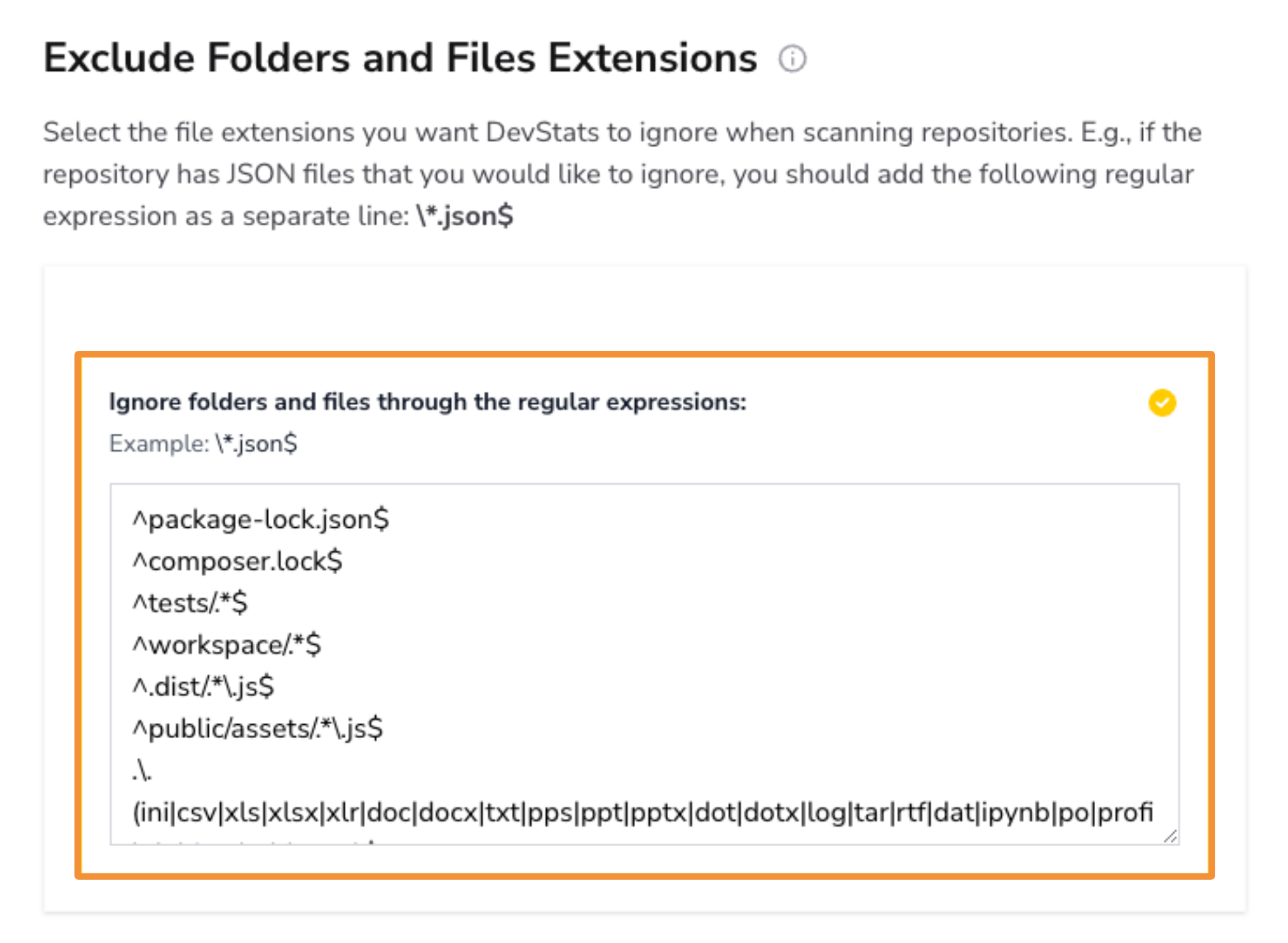
The "Exclude Folders and Files Extensions" setting lets you ignore specific folders or file types during repository scans to focus on relevant code.
Configuration:
-
Enter one regular expression per line for the folders or file extensions you want to exclude. Default examples:
-
^package-lock.json$ -
^composer.lock$ -
^tests/.*$ -
^workspace/.*$ -
^.dist/.*\.js$ -
^public/assets/.*\.js$ -
.\.(ini|csv|xls|xlsx|xlr|doc|docx|txt|pps|ppt|pptx|dot|dotx|log|tar|rtf|dat|ipynb|po|profile|object|arb|snap)$