What is the Productivity Snapshot Feature?
TheProductivity Snapshot Feature provides a high-level overview of your team's software development output by focusing on key metrics such as PRs Merged ,Days with Commits, and Issues Resolved. This report answers the question, "How productive is my team?" by aggregating data to track completed work, consistency in code contributions, and task resolution efficiency. With actionable insights, this feature empowers teams to identify strengths, address inefficiencies, and sustain a productive workflow.
Metrics
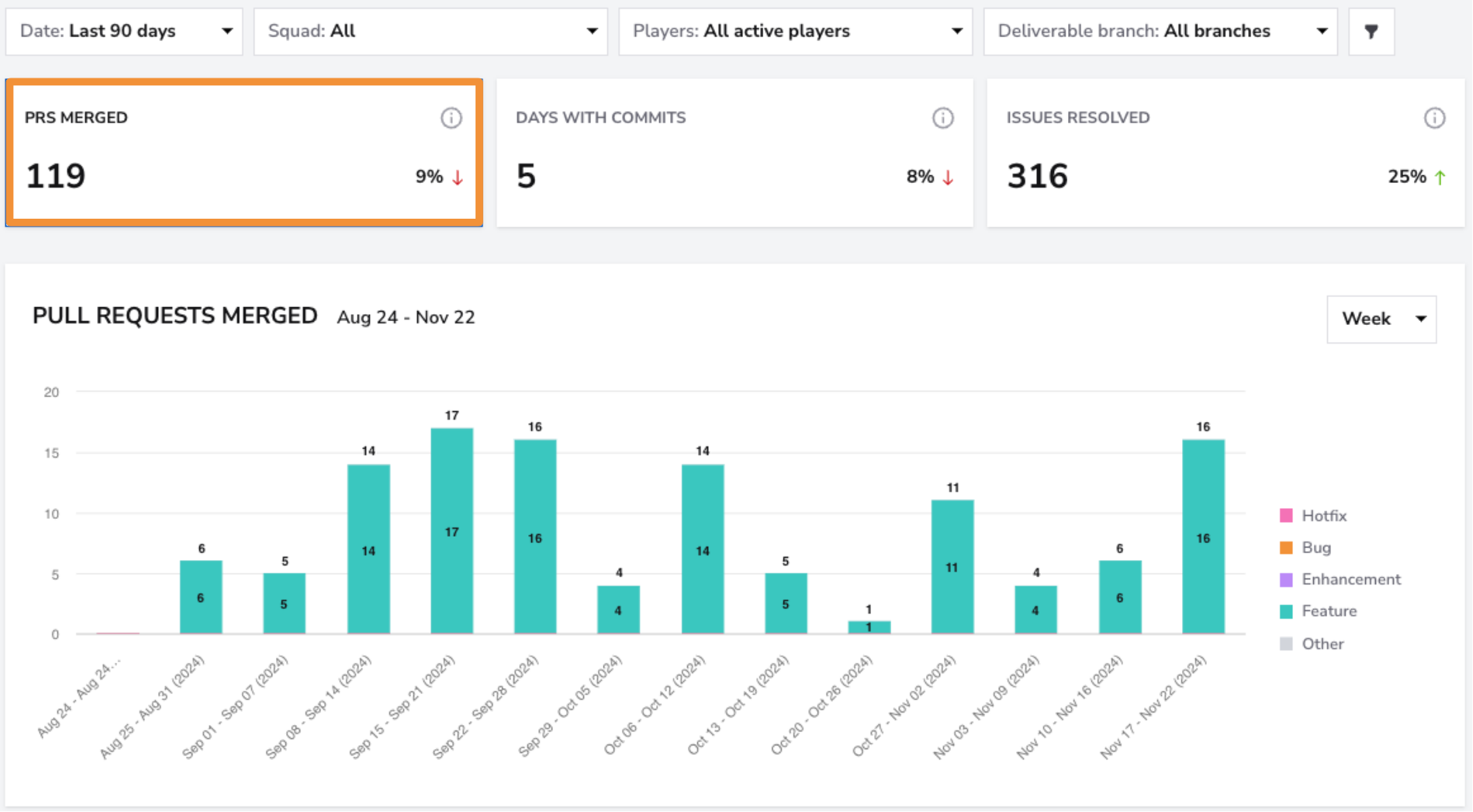
PRs Merged
- What: Tracks the number of pull requests successfully merged into the codebase during the selected period.
- Why it matters: It indicates the team’s output in terms of completed and integrated work, reflecting their ability to efficiently push changes through the development pipeline.
- How to use it: Monitor this metric to ensure a steady flow of merged PRs. Sudden dips may signal bottlenecks in the review or development process that require attention.
- User interface:
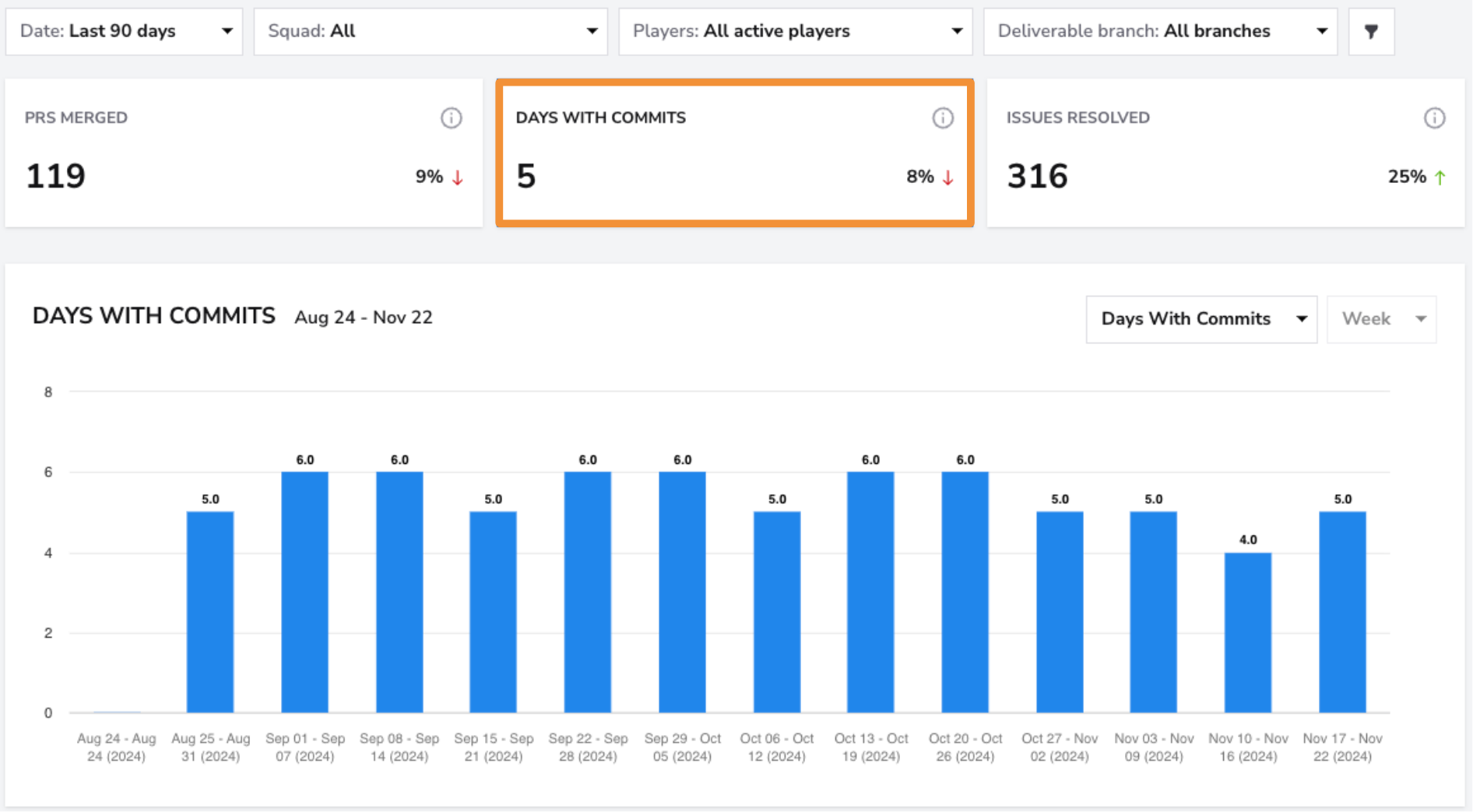
Days with Commits
- What: Measures the average number of days per week during the selected period when one or more commits were made to the codebase.
- Why it matters: Regular commits provide insight into the team’s coding consistency, helping to identify periods of high or low activity. They also contribute to steady progress and reduce the risk of large, error-prone changes.
- How to use it: Track this metric to encourage consistent contributions. Use it to identify opportunities to balance workloads or address periods of inactivity.
- User interface:
Filters
Use the Squad Filter to view productivity metrics for individual squads. If you want a broader overview of all teams, select the "All" filter to see the breakdown across all squads at once.
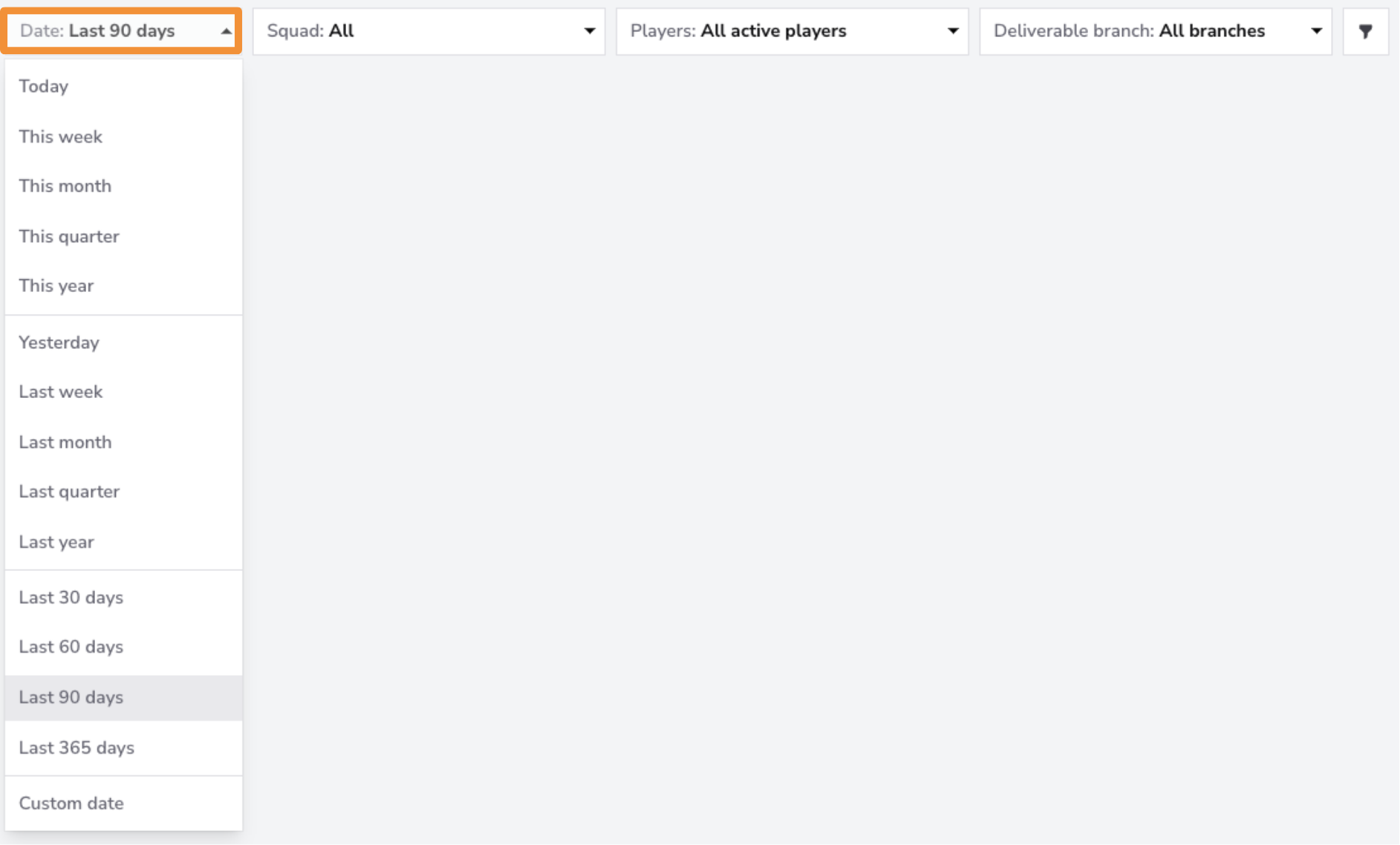
The Date Filter allows you to view data for specific time periods. You can filter for the last month, quarter, or 365 days. If you need more granular control, you can filter by a custom date range.
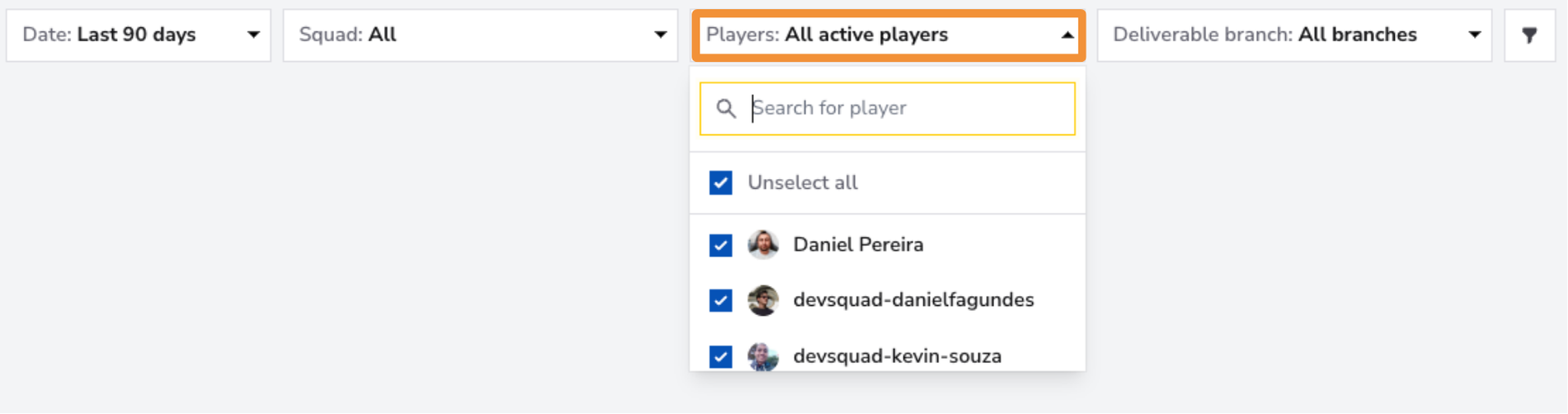
Use the Players Filter to focus on individual team members or a specific group within your squad. You can select one member for a detailed view, a group of team members if they form a sub-squad, or all team members for an overview of the entire squad's productivity metrics.
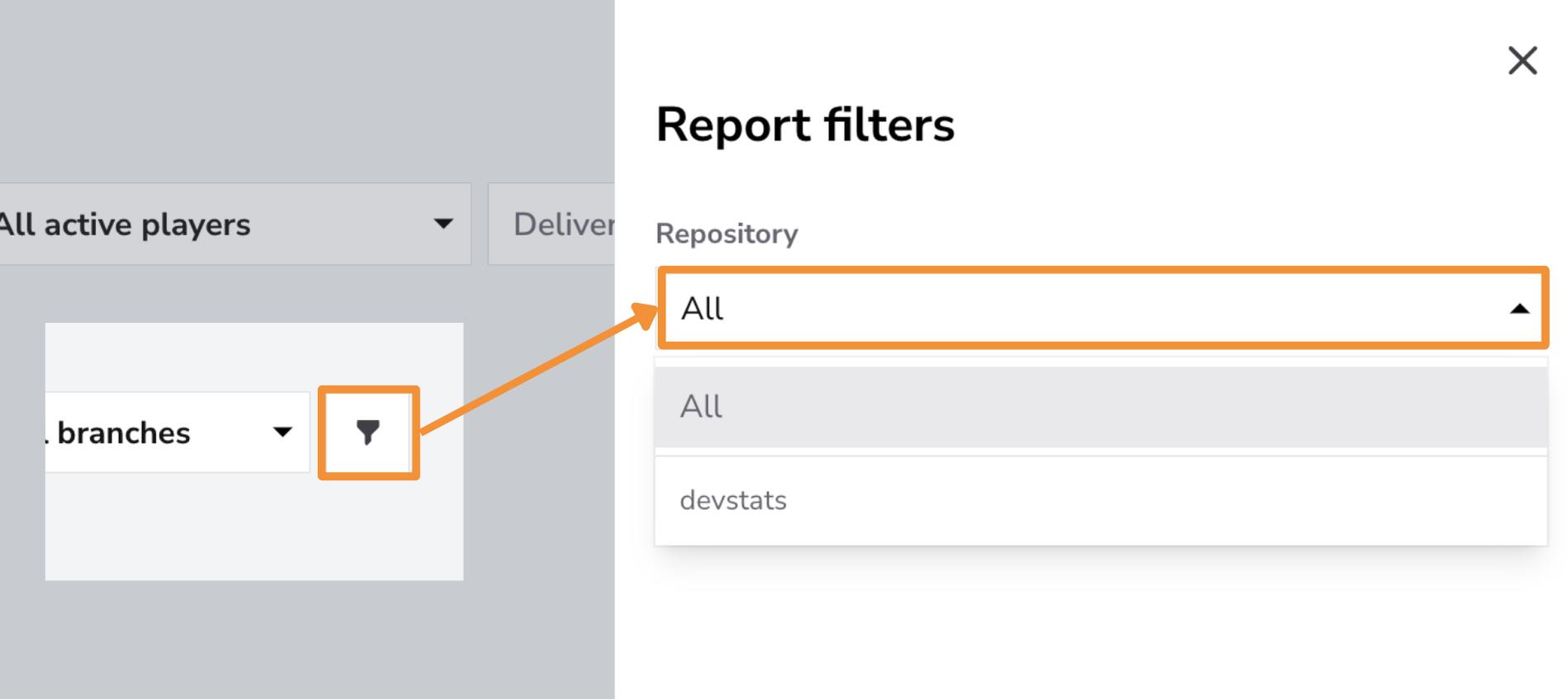
Use the Repository Filter to focus on specific repositories or view productivity metrics across all repositories.
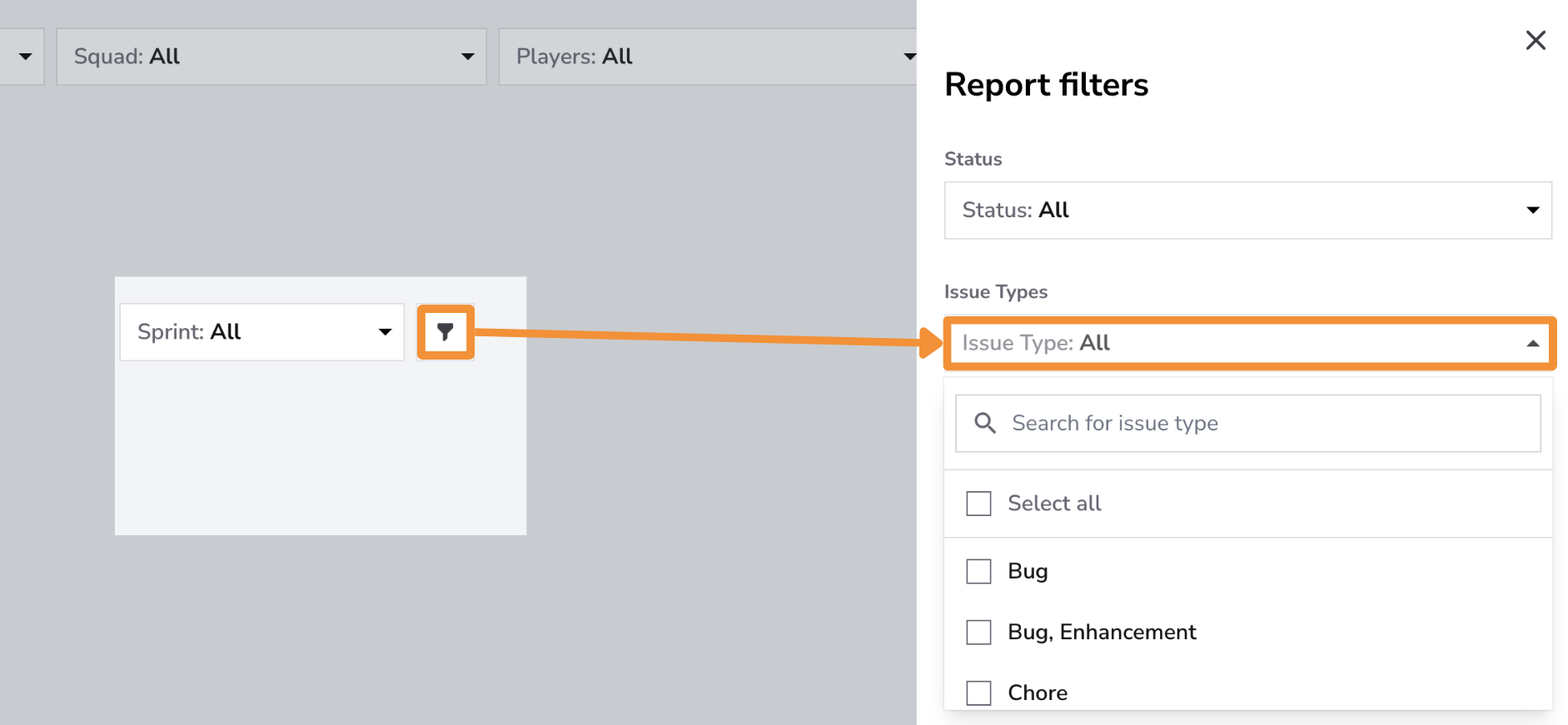
Use the Issue Type Filter to analyze productivity metrics for specific types of work, such as Features, Bugs, Enhancements, or Hotfixes, or to view data across all issue types. This filter provides insights into the team's focus and efficiency across different types of tasks, helping identify trends and ensure critical issues like bugs and hotfixes are resolved promptly. Monitoring productivity by issue type allows teams to align their efforts with project priorities and maintain a balanced workflow.
Controls
In this report, Controls offers Chart Settings only: enable Trendline or Regression line to inspect patterns in the chart. Statistical Measure and PR Cycle Time Stages are not available; these options do not change how the report metrics are calculated.
Click the adjustments button on the Controls bar and select Save after choosing your options. See the Controls guide for details.
Best Practices for Using the Productivity Snapshot Report
-
Maintain a Consistent Flow of Work:Regularly monitor PRs Merged to ensure a steady pace of completed work. Address bottlenecks in the review and merge process to keep the pipeline flowing smoothly.
-
Encourage Frequent Contributions:Use the Days with Commits metric to promote daily code commits. Frequent, incremental contributions reduce the risk of large, error-prone changes and strengthen the team’s momentum.
-
Focus on Efficient Task Resolution:**Track Issues Resolved to gauge how effectively the team is addressing tasks. Analyze dips in resolved issues to identify roadblocks and implement process improvements.
-
Set Goals and Monitor Trends: Leverage the snapshot metrics to establish benchmarks for productivity and track progress over time. Adjust team workflows and priorities as needed to maintain or enhance performance.
Conclusion
The Productivity Snapshot Report is a valuable tool for evaluating your team's development efficiency and output. By monitoring key metrics like PRs Merged, Days with Commits, and Issues Resolved, teams can ensure steady progress, identify trends, and address potential bottlenecks. With regular review and data-driven adjustments, this report helps teams maintain a consistent and productive development pace while achieving their goals effectively.