Overview
Connect Claude to DevStats to track your team's Claude usage in the Claude Activity report. The connection flow depends on how your organization uses Claude.
Before you start
You must be an owner or administrator of your DevStats workspace and have a credential for the appropriate Claude account type:
| Account type | Required credential | Who can create it | Where to create it |
|---|---|---|---|
| Claude console (API billing) | Admin API key, starting with sk-ant-admin |
An organization member with the admin role | Claude Console → Settings → Admin keys |
| Claude Enterprise | Analytics API key | The organization's primary owner | claude.ai → Organization Settings → Analytics API keys |
A standard Claude API key does not replace the Console Admin API key. For Enterprise, use an Analytics API key with the required analytics permissions.
Step 1: Choose the account type
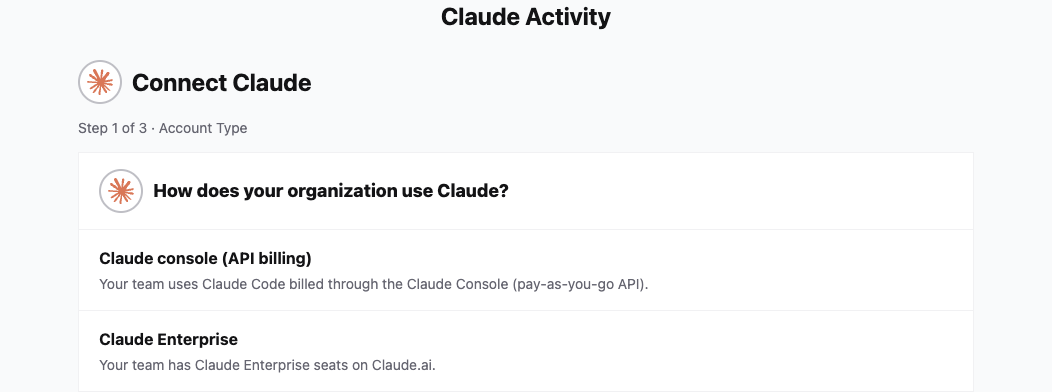
Open Claude Activity in DevStats. If your workspace has no Claude organization connected, DevStats opens Connect Claude.
Under How does your organization use Claude?, select:
- Claude console (API billing) if your team uses Claude Code billed through Claude Console with pay-as-you-go API billing.
- Claude Enterprise if your team has Claude Enterprise seats on claude.ai.
Step 2: Add the credential
Claude Console
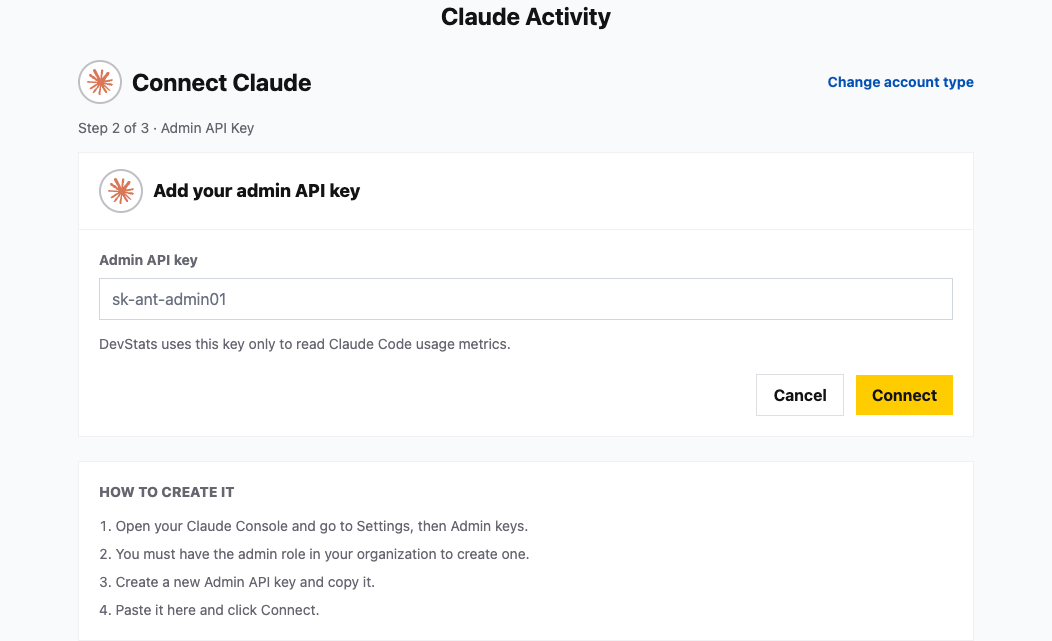
- Open Claude Console and go to Settings → Admin keys.
- With the organization admin role, create an Admin API key and copy it.
- Paste it into Admin API key in DevStats and click Connect.
Claude Enterprise
- Open claude.ai and go to your organization's Settings → Analytics API keys.
- As the organization's primary owner, create an Analytics API key and copy it.
- Paste it into Analytics API key in DevStats and click Connect.
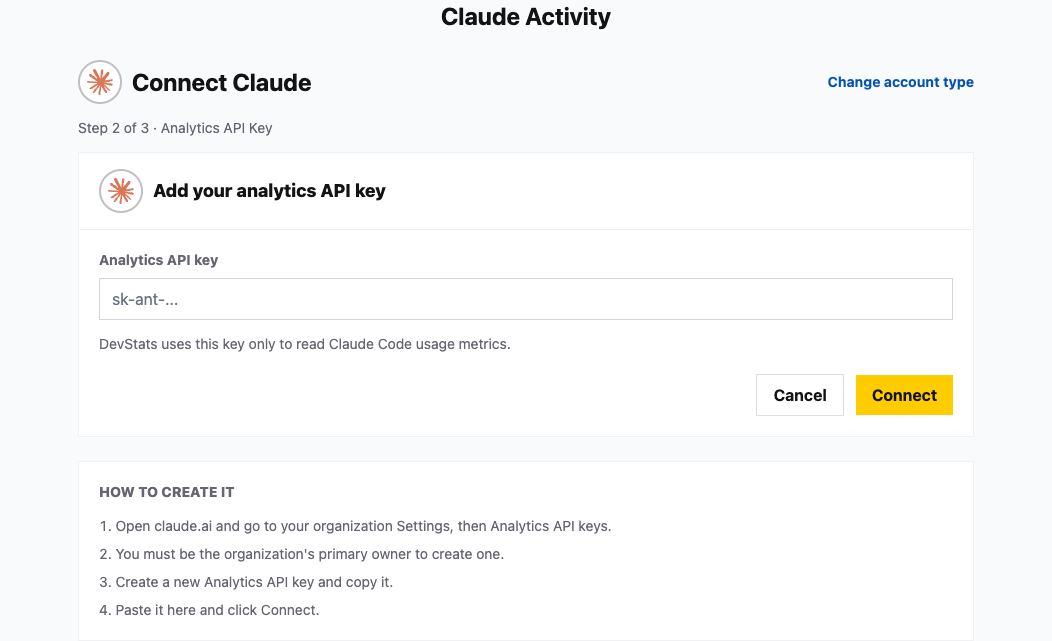
Use Change account type to return to the account selection if needed. DevStats validates the credential when you click Connect; the connection does not redirect you to sign in to Claude.
If DevStats reports invalid credentials, check that you selected the correct account type and copied its required key. For an Enterprise analytics-permission error, check that the key has access to analytics. If you hit a rate limit, try again later.
Step 3: Follow the sync
After the credential is accepted, DevStats displays Sync in progress, with a progress bar and an estimated time remaining when available. You can leave the page while the sync continues. Open Claude Activity again to return to the progress screen while the import is running.
If you stay on the progress screen, DevStats opens the Claude Activity report when synchronization finishes. Otherwise, open the report when you return.