What is the Aging Branches Feature?
The Aging Branches Metric offers a visual overview of how long branches have been in different stages of the workflow, helping teams spot delays, identify bottlenecks, and prioritize tasks that need immediate attention.
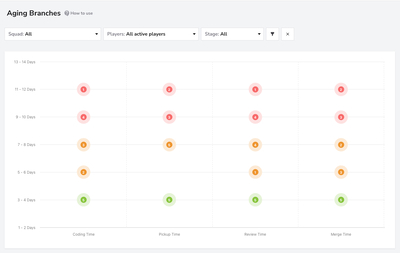
By tracking branches as they progress through stages like "Coding Time," "Pickup Time," "Review Time," and "Merge Time," this metric provides a clear view of workflow health. Dots on the chart represent branches, and their position on the vertical axis with color coding—green, yellow, and red—indicates the time elapsed since each branch started, allowing teams to address issues promptly and maintain a balanced workflow. The position on the horizontal axis always indicates the current stage of the branch.
Metrics: Understanding the Four Types of Work
To optimize delivery and improve engineering efficiency, it's essential to understand how work progresses through each stage of the development lifecycle. This dashboard breaks down the workflow into four distinct stages—Coding Time,Pickup Time,Review Time, and Merge Time—to help teams visualize where time is being spent. By analyzing these metrics, teams can identify delays, streamline handoffs, and ensure that code flows smoothly from development to deployment
Filters
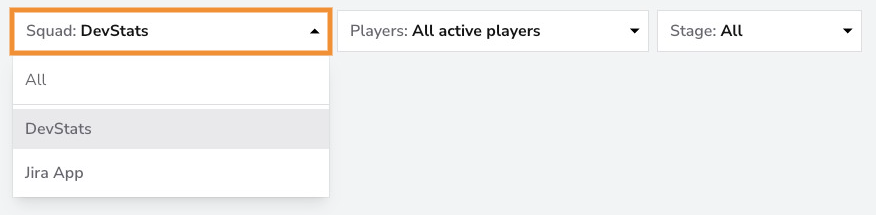
Use the Squad Filter to view task aging data by specific squads, or across all squads. This filter is valuable for analyzing the performance and workflow health of individual squads, helping to identify bottlenecks or delays in specific team processes. By isolating aging metrics per squad, you can prioritize interventions where they’re most needed and ensure consistent progress across teams.
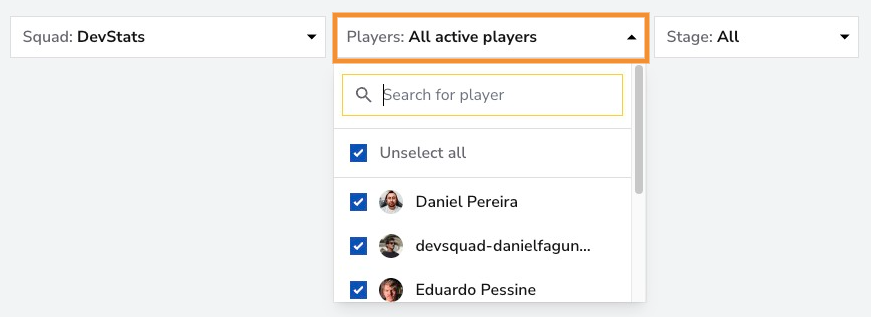
The Players Filter allows you to narrow down task aging data by individual team members or a subset of contributors. This filter helps you assess each contributor's task aging patterns and workload, making it easier to spot individual bottlenecks or identify where additional support may be required. Using this filter, you can ensure that tasks are distributed evenly and that each team member can maintain a healthy workflow pace.
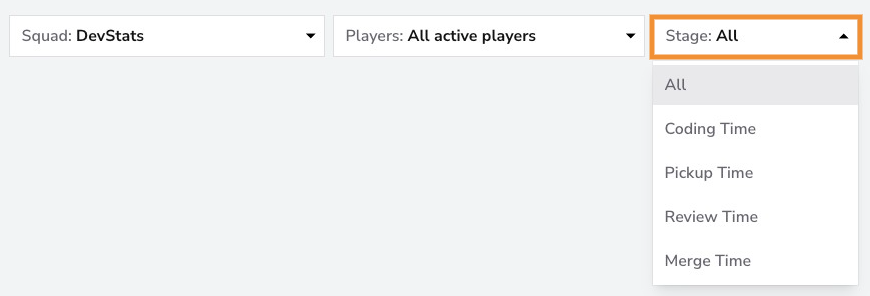
The Stage Filter allows you to focus on specific phases of the development workflow: Coding Time, Pickup Time, Review Time, and Merge Time. By selecting any of these stages, both the chart and the table will update to display only the branches currently in the chosen stage. This filter helps you analyze where branches are spending the most time, identify workflow inefficiencies, and spot bottlenecks in different parts of the development lifecycle. With this insight, you can better allocate resources and streamline the path from code to merge.
Conclusion
Understanding where time accumulates across stages—Coding, Pickup, Review, and Merge—empowers teams to spot inefficiencies, reduce delays, and keep work flowing smoothly. By monitoring aging branches, teams can take proactive steps to accelerate delivery and maintain a healthy development lifecycle