Repositories Settings
The Repositories Settings page allows workspace administrators to review and manage repositories connected to DevStats. Repositories are organized into Synced Repositories, Pending Review, and Ignored tabs.
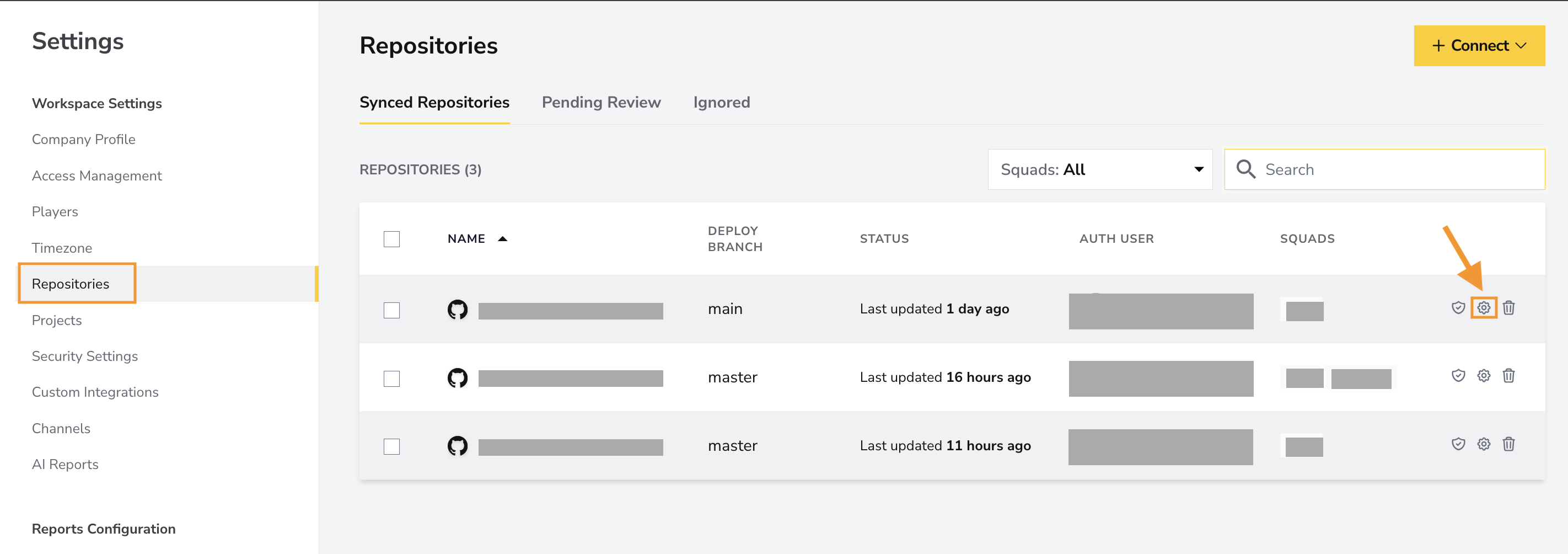
In Synced Repositories, use the squad filter, search, and sortable name column to locate a repository. The table displays its deploy branch, integration status, authentication user, and assigned squads.
Repository Settings
Open Repository Settings from the gear icon at the end of a synced repository row.
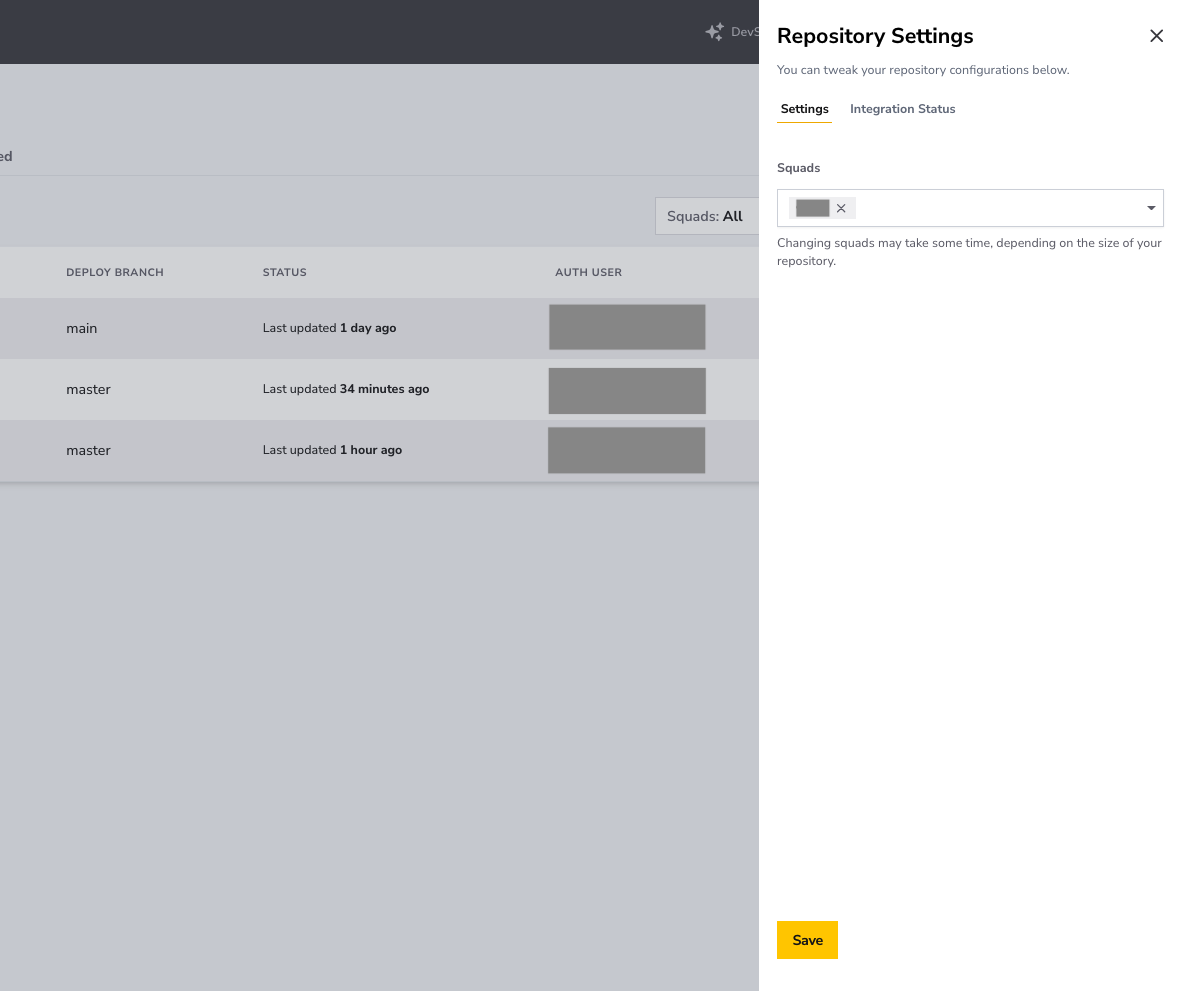
- Settings: Assign the repository to one or more squads, then click Save. Changing squads may take some time, depending on the repository size.
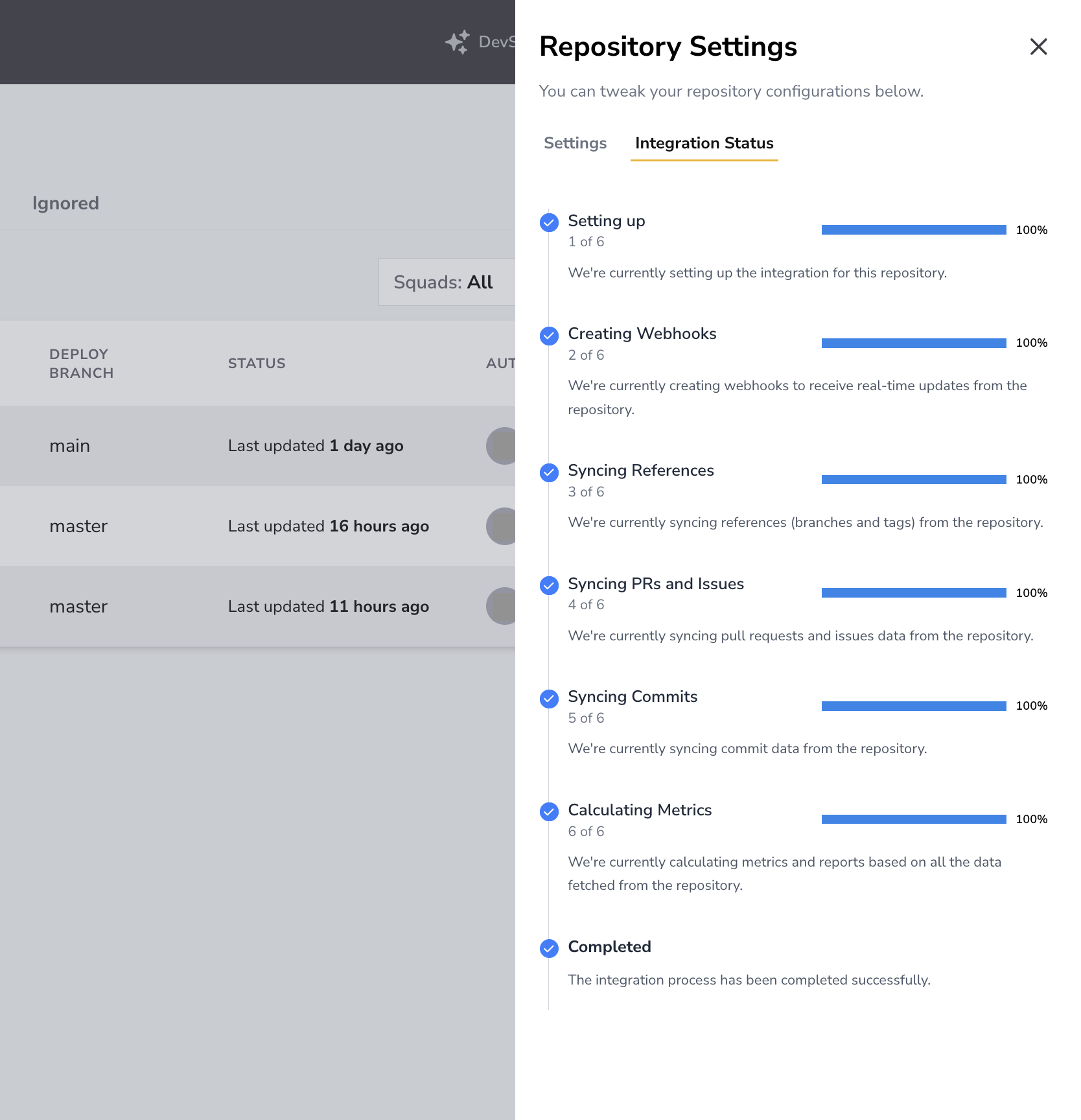
- Integration Status: When available, review the repository synchronization progress and any integration errors.
The deploy branch is displayed in this list but configured under Settings > Deploys. Incident sources and detection rules are configured under Settings > Incidents.
Pending and Ignored Repositories
Use Pending Review to decide which newly discovered repositories DevStats should import or ignore. Repositories in Ignored can be moved back to Pending Review when needed.