The Deploys setting defines where DevStats reads deployment data used by Deploy and DORA metrics.
Data Sources
- Git Provider: Read deploys from merges to a configured branch or from published releases on supported repositories.
- Send via the API: Post deployment data from a CI/CD pipeline directly to DevStats.
Git Provider Settings
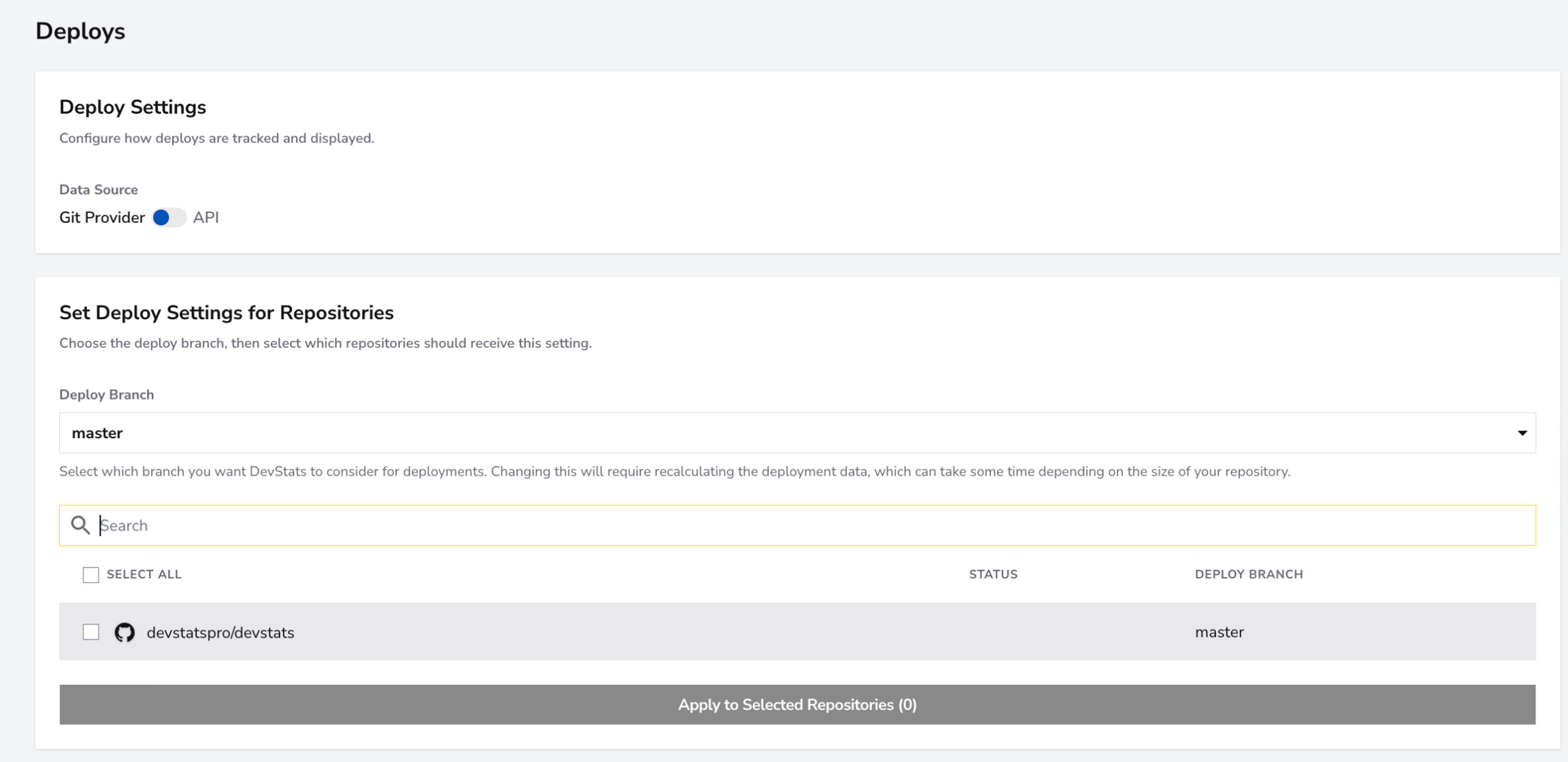
Merge to a branch
Select the deploy branch, search for repositories, and choose which repositories should receive the setting. Each row displays its current deploy branch. Click Save Settings to apply the selected branch.
Changing the deploy branch recalculates deployment data and may take some time, depending on the repository size.
Release
Use this option when publishing a release represents a deployment in your workflow.
- As a workspace owner or administrator, open Settings → Deploys.
- Select Git Provider.
- Under Set Deploy Settings for Repositories, select Release.
- Click Save Settings.
Release is available when the workspace has at least one GitHub or GitLab repository. This setting applies to the whole workspace; it does not require selecting a deploy branch or checking individual repositories. Repositories on other providers do not report deploys under this setting, and the page lists them in a warning.
DevStats records a deploy for a published release using its publication timestamp. Drafts, prereleases, releases without a publication timestamp, and deleted releases are excluded. Creating a Git tag alone is not a published release. With Release selected, deployment metrics use release-origin deploys rather than combining them with API-submitted deploys.
When you switch to Release, DevStats queues background processing of releases already synced within the workspace's historical sync window. Allow this processing to finish before reviewing Deploy and DORA metrics. Saving an unchanged Release configuration does not queue this processing again.
To return to branch detection, select Merge to a branch, choose the branch and repositories, and save. Previously configured deploy branches are retained while Release is selected.
Workspaces with an existing Git tag configuration can retain it. When the workspace has release-eligible repositories, the page offers Merge to a branch and Release; selecting either and saving replaces the existing tag setting.
API Settings
Select Send via the API to post deployments to POST /api/v1/deploys. The page provides API token management, Curl, GitHub Actions, and GitLab CI examples, and the accepted payload fields. See the Deploy API guide for more details.