Balancing review workloads is essential for maintaining code quality and workflow efficiency. By using the Code Review Dashboard alongside PR Cycle Time metrics, teams can better understand the impact of review practices on overall cycle time and ensure reviews are balanced across contributors.
This guide will show how to use these tools together to optimize review distribution.
Step 1: Assess Review Activity and Thoroughness
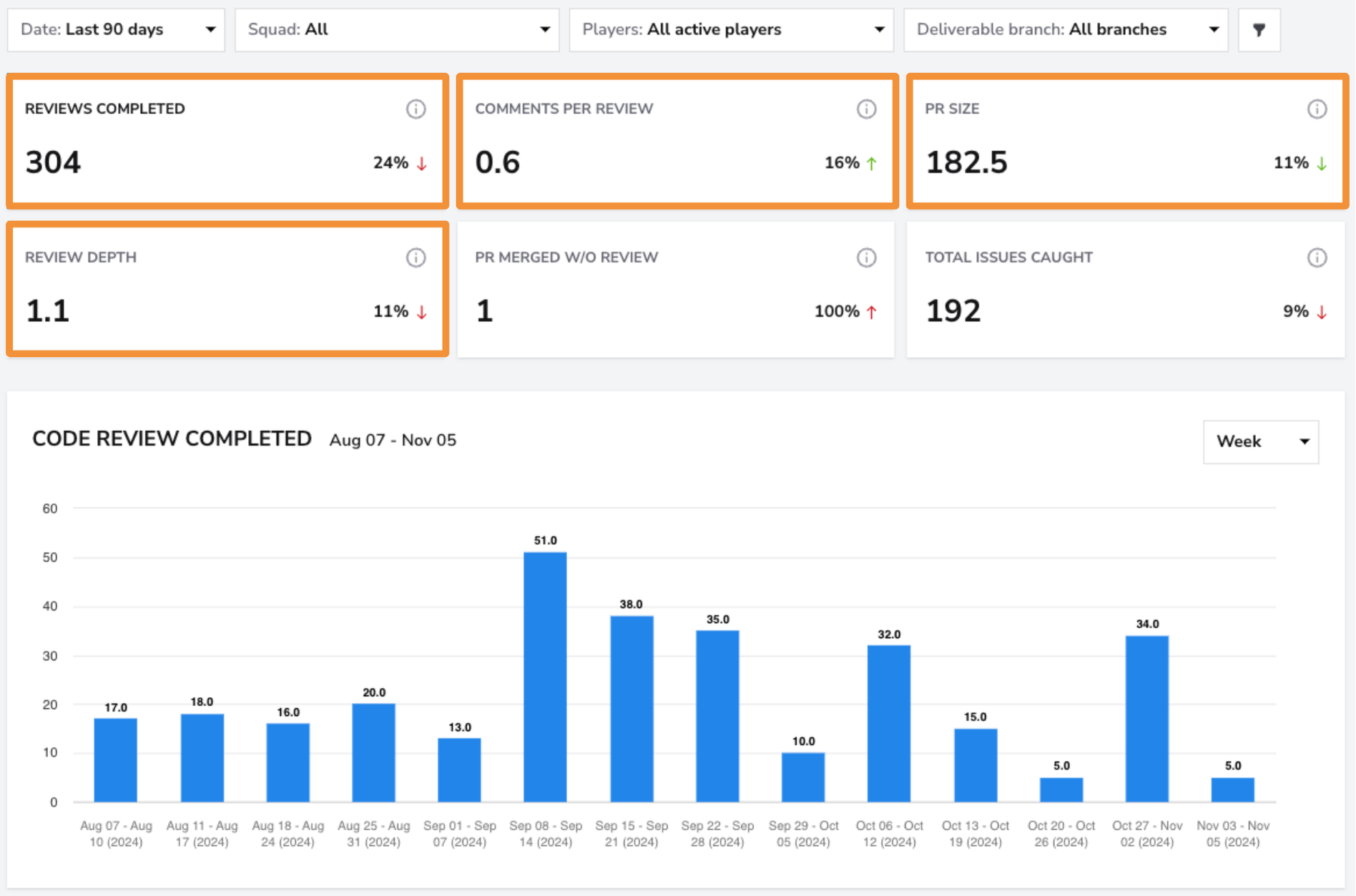
- How: Use the Code Review Dashboard to monitor the number of Reviews Completed,Comments per Review, and Review Depth.
- What to look for: Identify whether reviews are thorough and balanced across the team. For instance, low comments per review or shallow review depth might indicate that reviews are rushed or do not engage enough team members.
- Action: Encourage detailed, constructive feedback to improve code quality. If certain team members consistently handle more reviews than others, balance workloads by redistributing review tasks.
Step 2: Check PR Cycle Time for Review Stage Delays
-
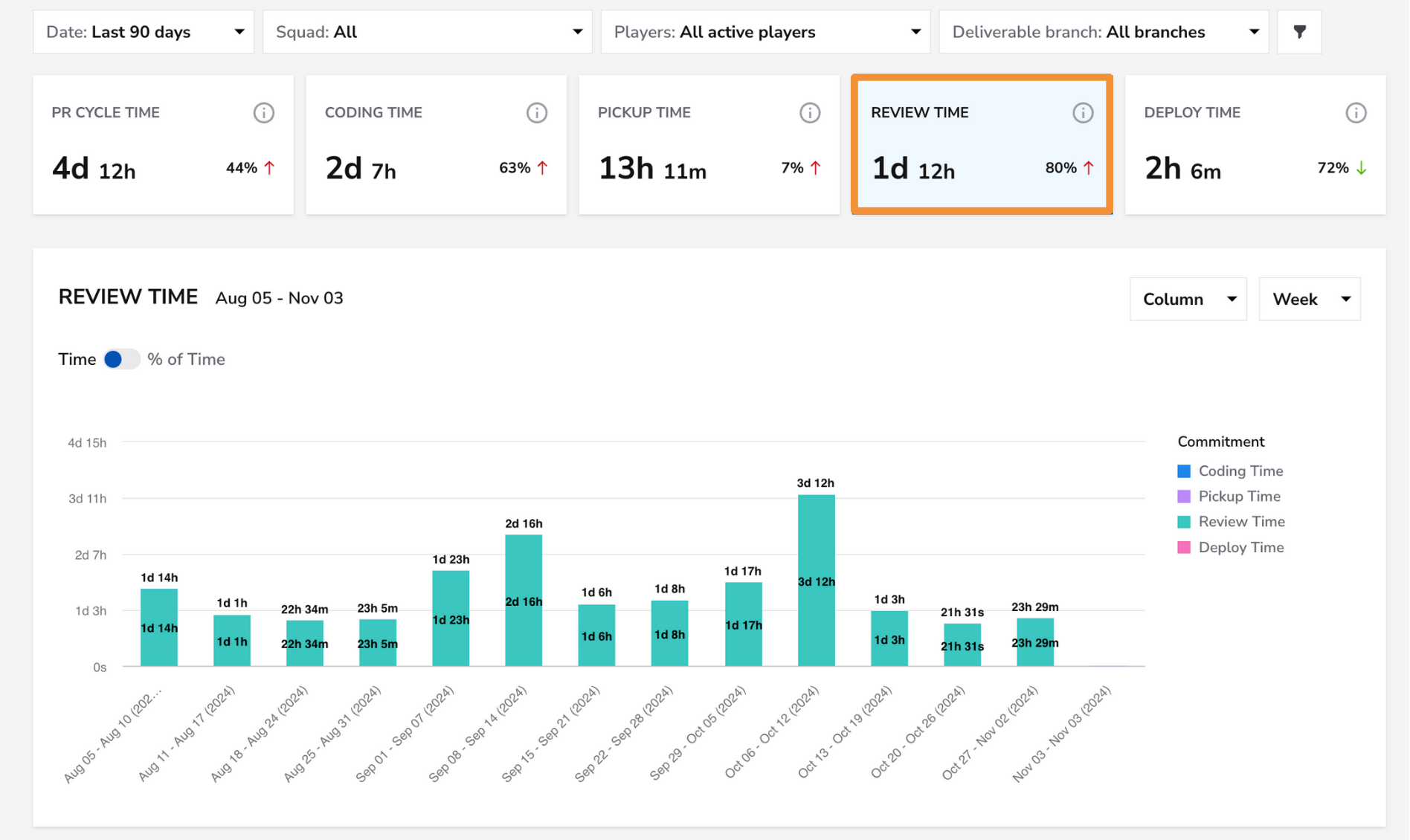
How:Access the PR Cycle Time Dashboard to view how long PRs spend in the Review Time phase.
-
What to look for:Compare Review Time metrics with the number of reviews completed and the review depth. Long review times coupled with high review depth might indicate an inefficient review process or overly large PRs. Short review times with minimal comments could suggest superficial reviews.
-
Action: Address delays by promoting practices such as smaller, focused PRs that are easier to review quickly. Ensure reviewers have enough time and resources to provide thorough feedback.
Step 3: Balance Reviewer Workloads
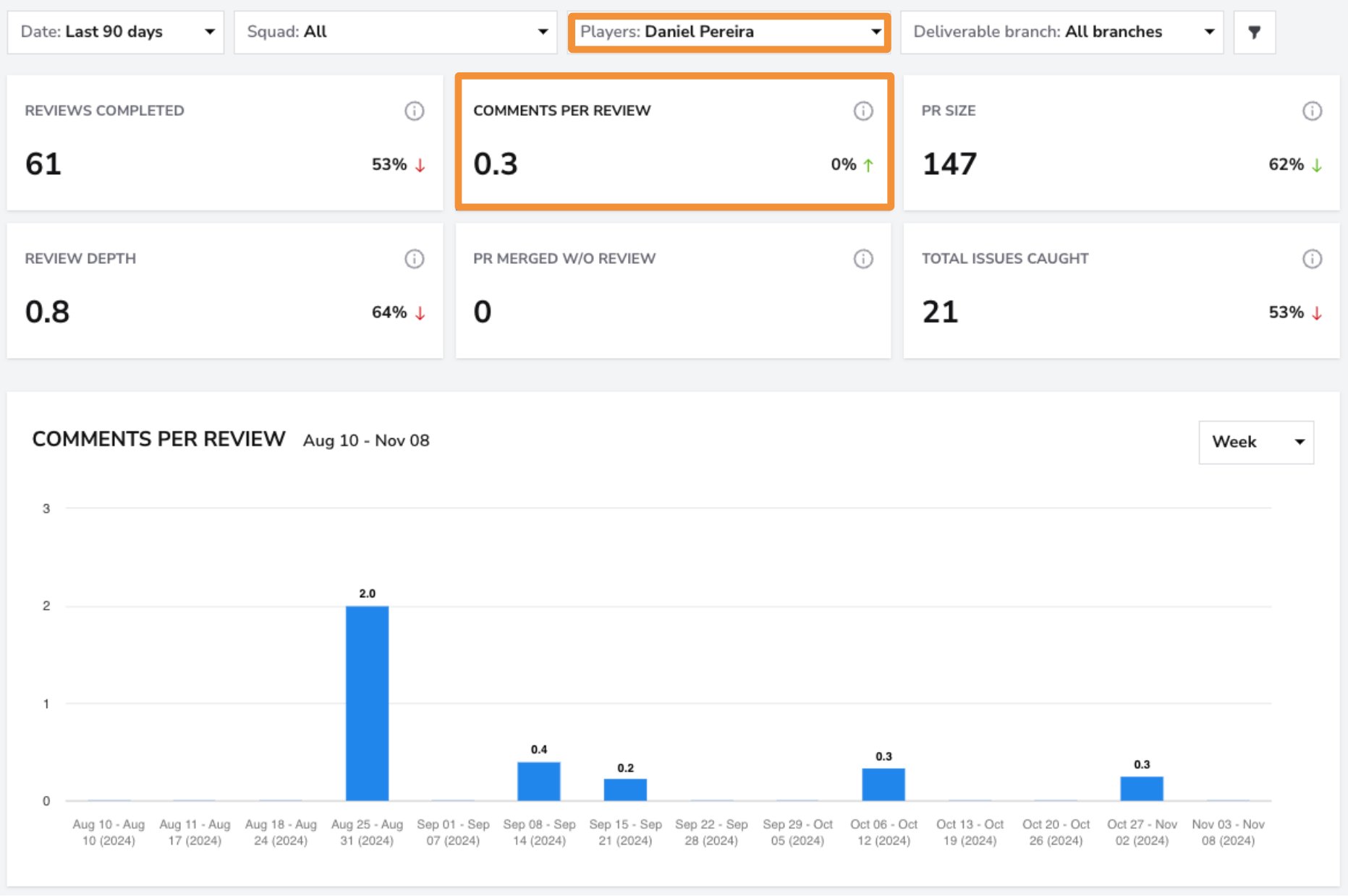
- How:Use the Players Filter on the Code Review Dashboard to check individual participation in reviews and track who is contributing feedback.
- What to look for: Identify if certain team members are overloaded with review responsibilities, which could impact the speed and quality of reviews.
- Action: Distribute review tasks more evenly to prevent reviewer fatigue and maintain a steady review cadence. Rotate review duties among team members to share knowledge and keep the workload balanced.
Step 4: Monitor PR Size and Adjust Review Assignments
-
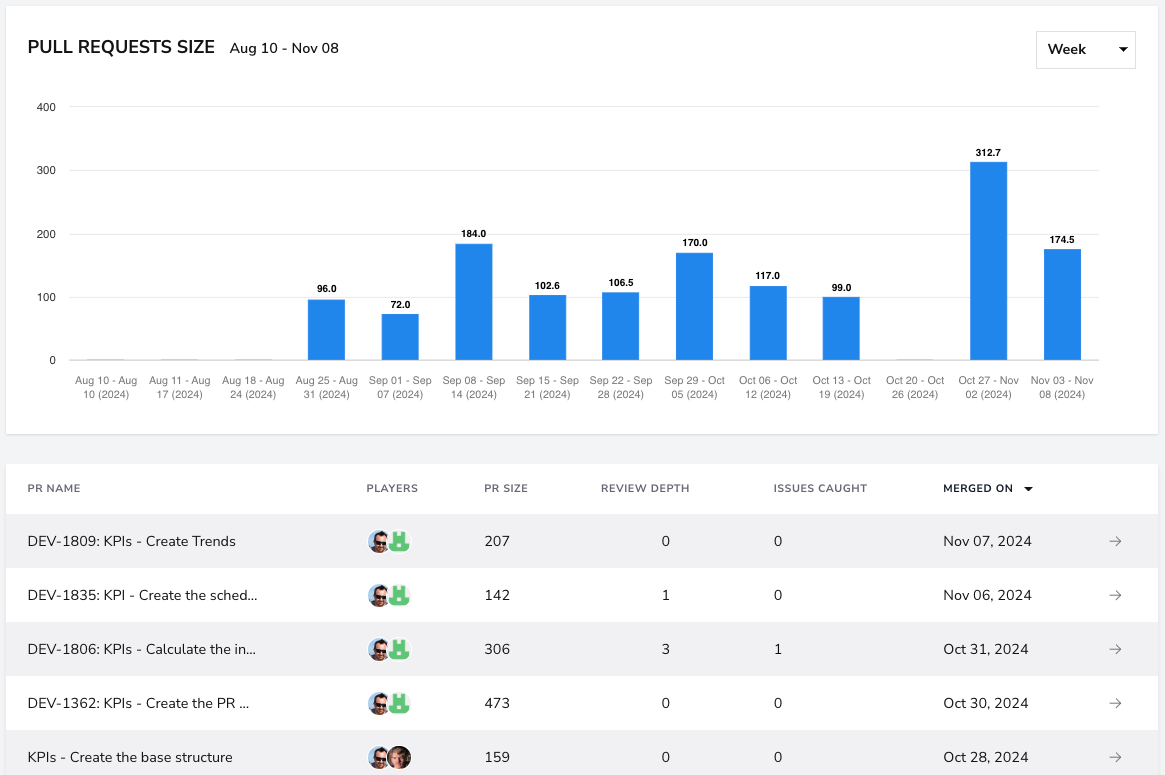
How:Check the PR Size metric on the Code Review Dashboard to understand the complexity of reviews. You can use the PR list at the bottom of the screen to filter for large PRs.
-
What to look for: Large PRs can take longer to review and may slow down the overall cycle time. Compare PR size with review times in the PR Cycle Time Dashboard.
-
Action: Encourage breaking down large PRs into smaller segments to make reviews more manageable. Assign complex reviews to experienced reviewers while involving other team members for simpler PRs to maintain balance.
Conclusion
By combining insights from the Code Review Dashboardand PR Cycle Time Dashboard, teams can better balance review workloads, ensure thorough feedback, and maintain an efficient development process. Monitoring review participation, cycle time stages, and PR sizes will help identify bottlenecks, optimize review practices, and maintain consistent development productivity.