What is the Speed Snapshot Feature?
TheSpeed Snapshot Feature provides a concise overview of your team's software delivery speed by aggregating key metrics such as PR Cycle Time ,Deploy Frequency, and Issue Cycle Time. This feature answers the critical question, “How fast is my team delivering software?” Highlighting improvement areas and showcasing trends enables teams to optimize their workflows, remove bottlenecks, and accelerate development.
Metrics
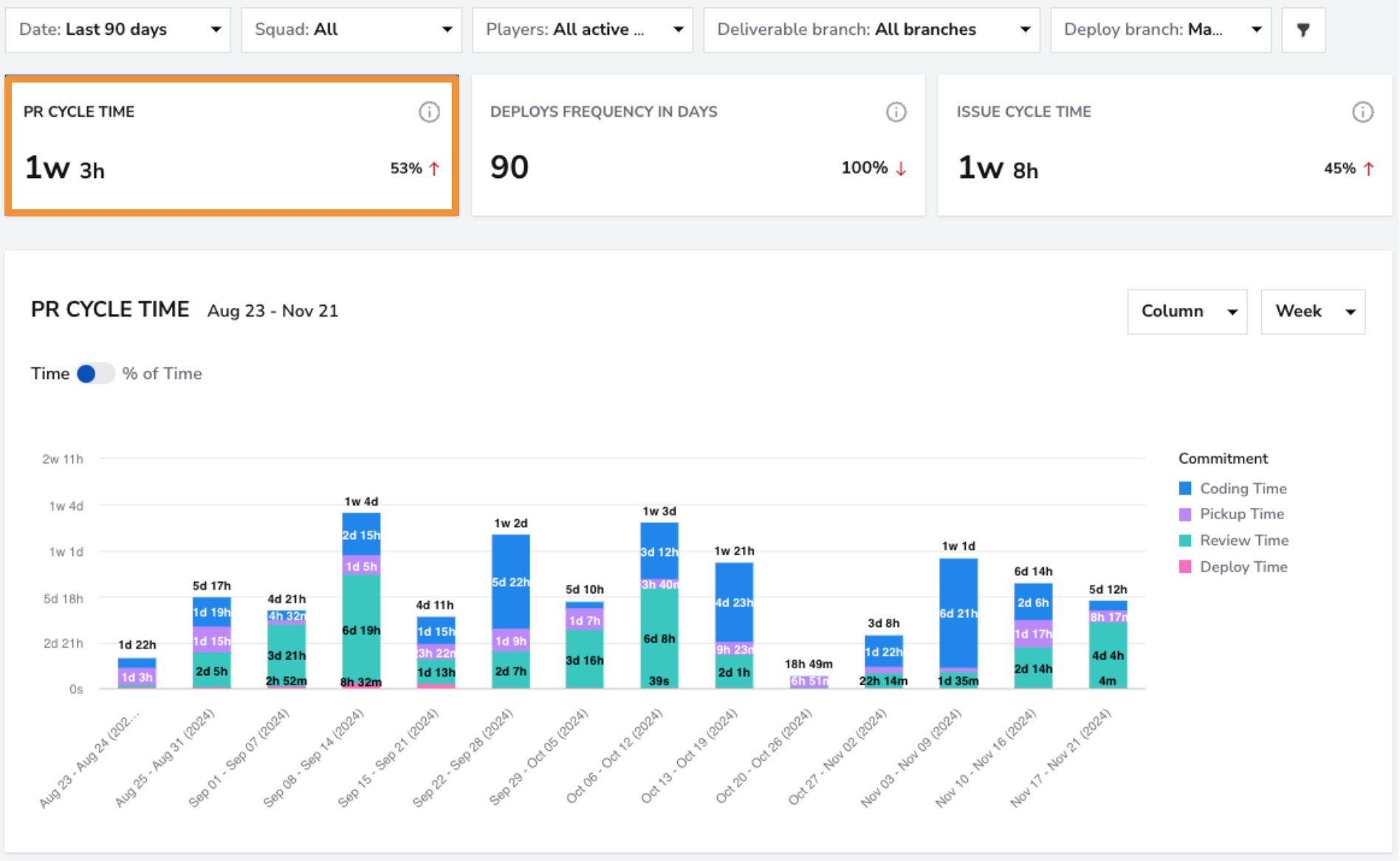
PR Cycle Time
- What: With all stages selected, measures the total time from the first commit to its deployment into production, covering all stages such as coding, review, and deployment.
- Why it matters: Shorter PR Cycle Times reflect a more efficient development process, enabling teams to deliver features and fixes faster.
- How to use it: Identify and address bottlenecks in the development pipeline, such as prolonged review times or delays in deployments, to reduce overall cycle time.
- User interface:
Deploy Frequency in Days
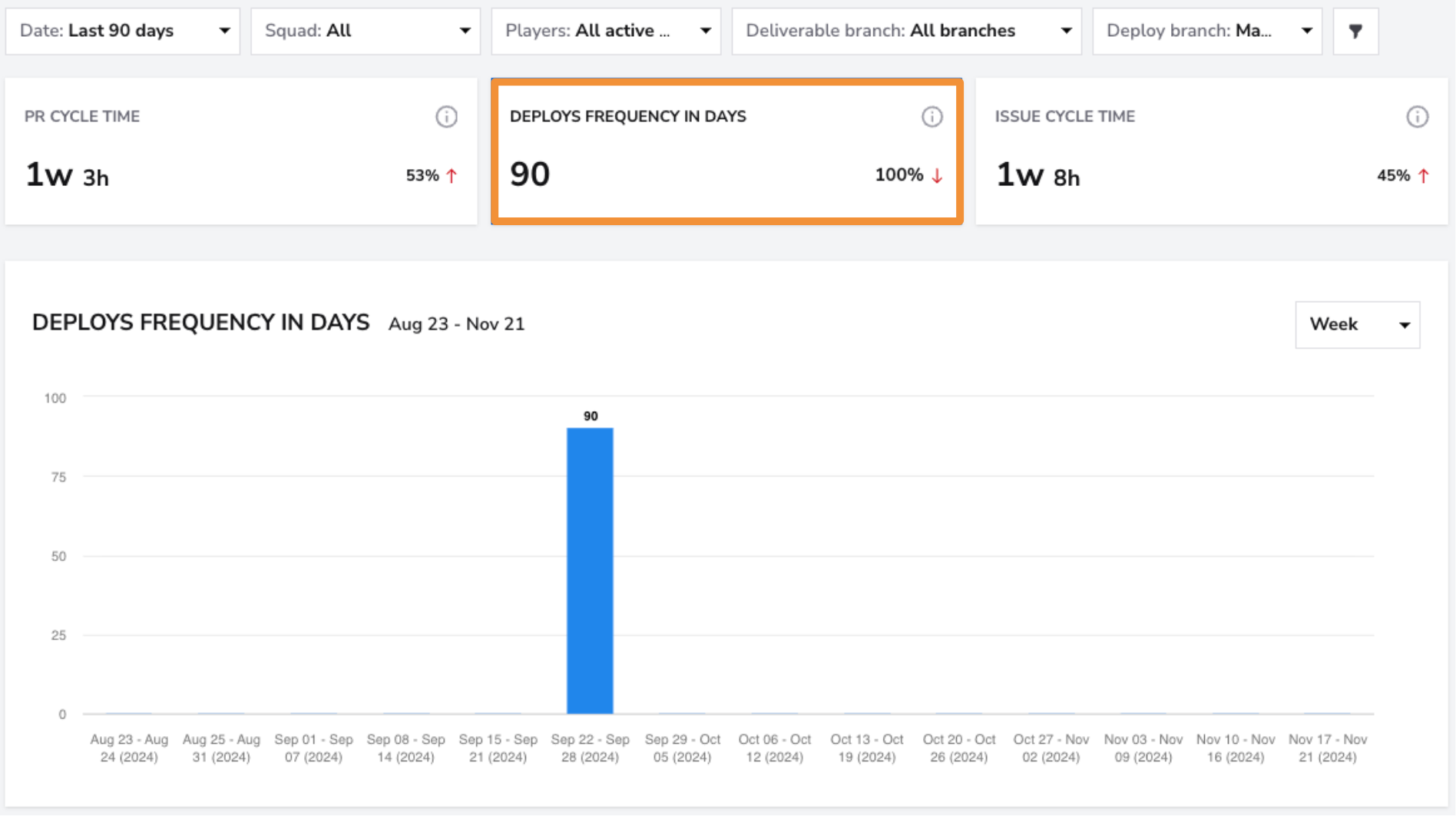
- What: Measures how often code is deployed to production. This metric reflects the overall average across all integrated repositories, but you can view the deploy frequency for a specific repository by applying the Repository filter.
- Why it matters: Frequent deployments allow for quicker delivery of value to users, minimize risks associated with large updates, and enhance responsiveness to feedback.
- How to use it: Aim for smaller, more frequent deployments by implementing CI/CD practices to ensure reliable and consistent releases.
- User interface:
Filters
Use the Squad Filter to view speed metrics for individual squads. If you want a broader overview of all teams, select the "All" filter to see the breakdown across all squads at once.

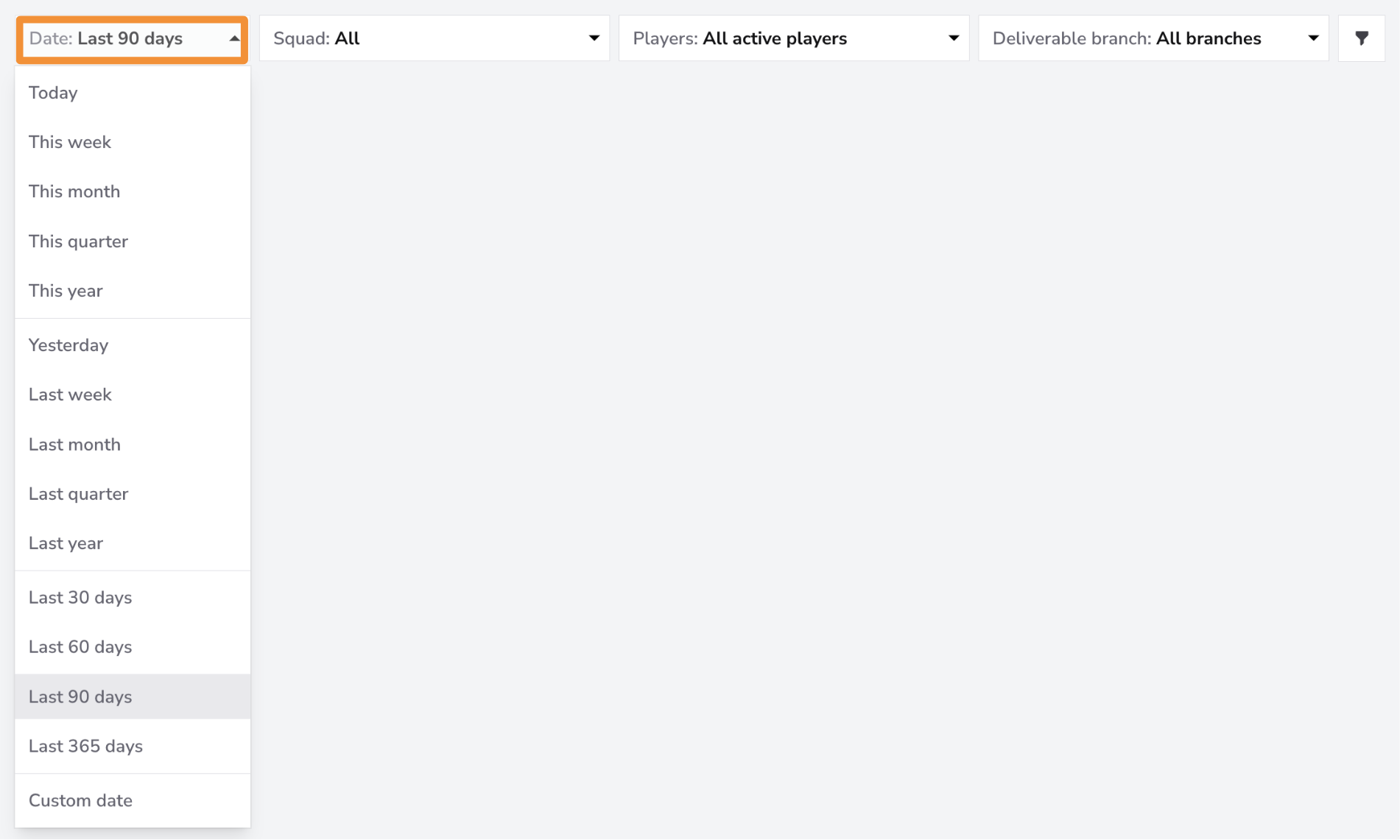
The Date Filter allows you to view data for specific time periods. You can filter for the last month, quarter, or 365 days. If you need more granular control, you can filter by a custom date range.
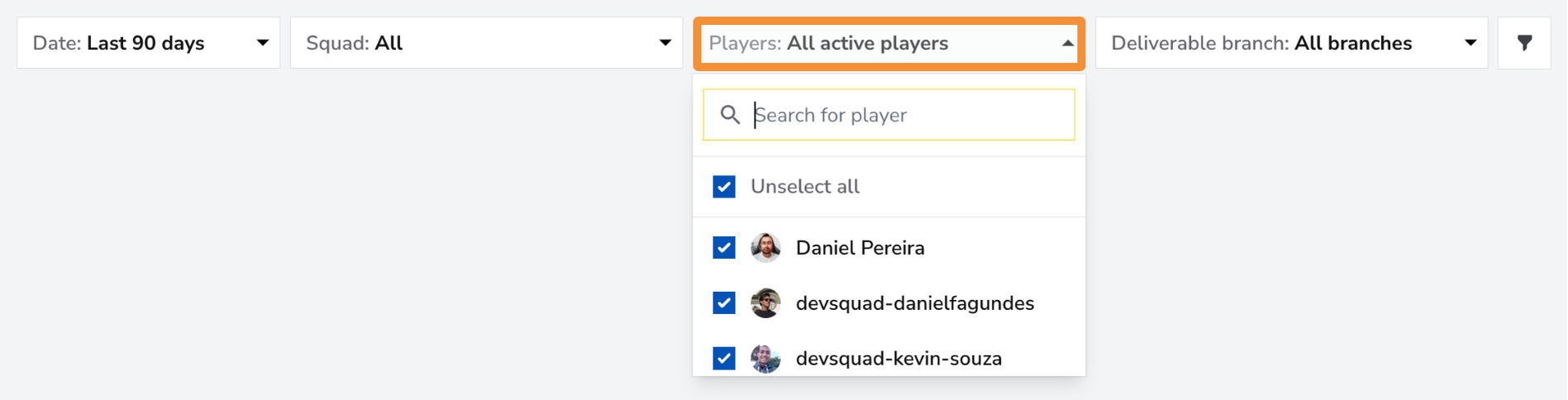
Use the Players Filter to focus on individual team members or a specific group within your squad. You can select one member for a detailed view, a group of team members if they form a sub-squad, or all team members for an overview of the entire squad's speed metrics.
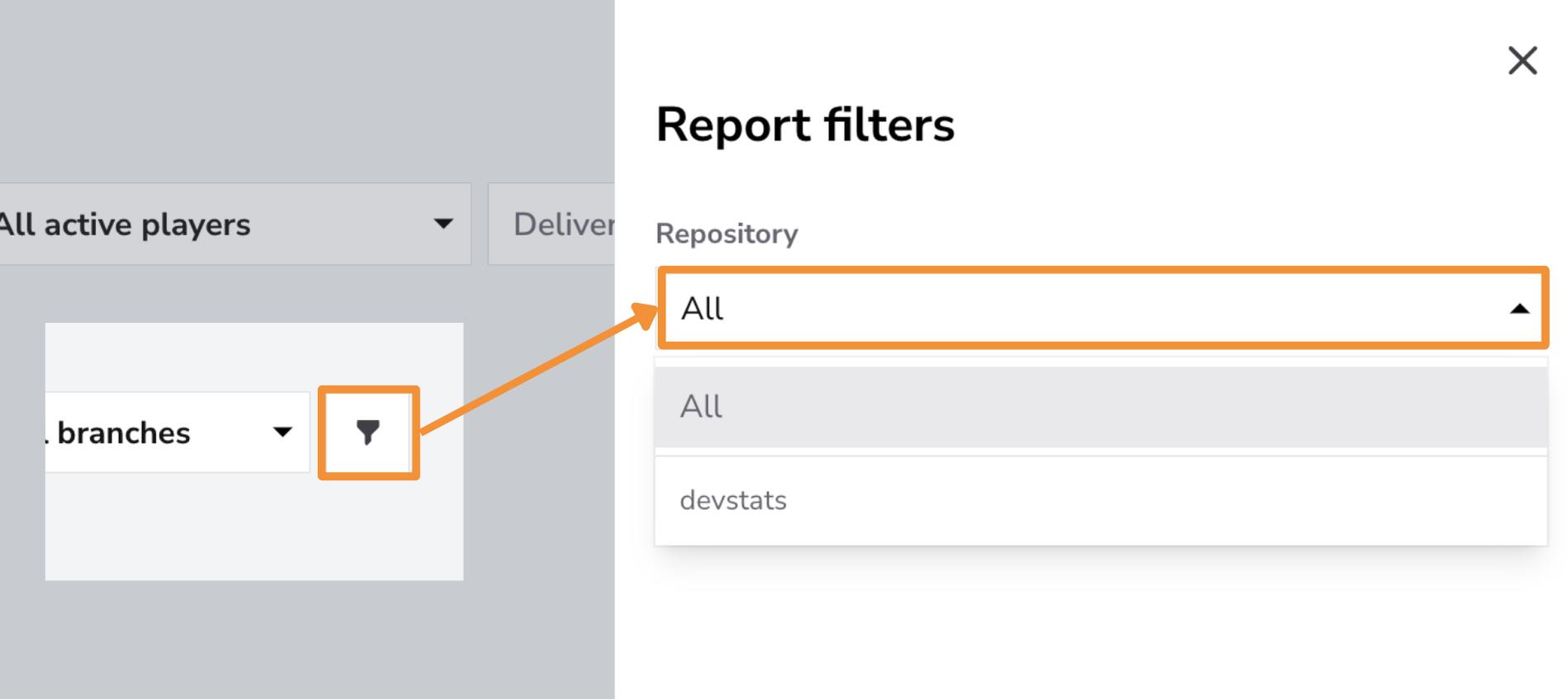
Use the Repository Filter to focus on specific repositories or view speed metrics across all repositories.
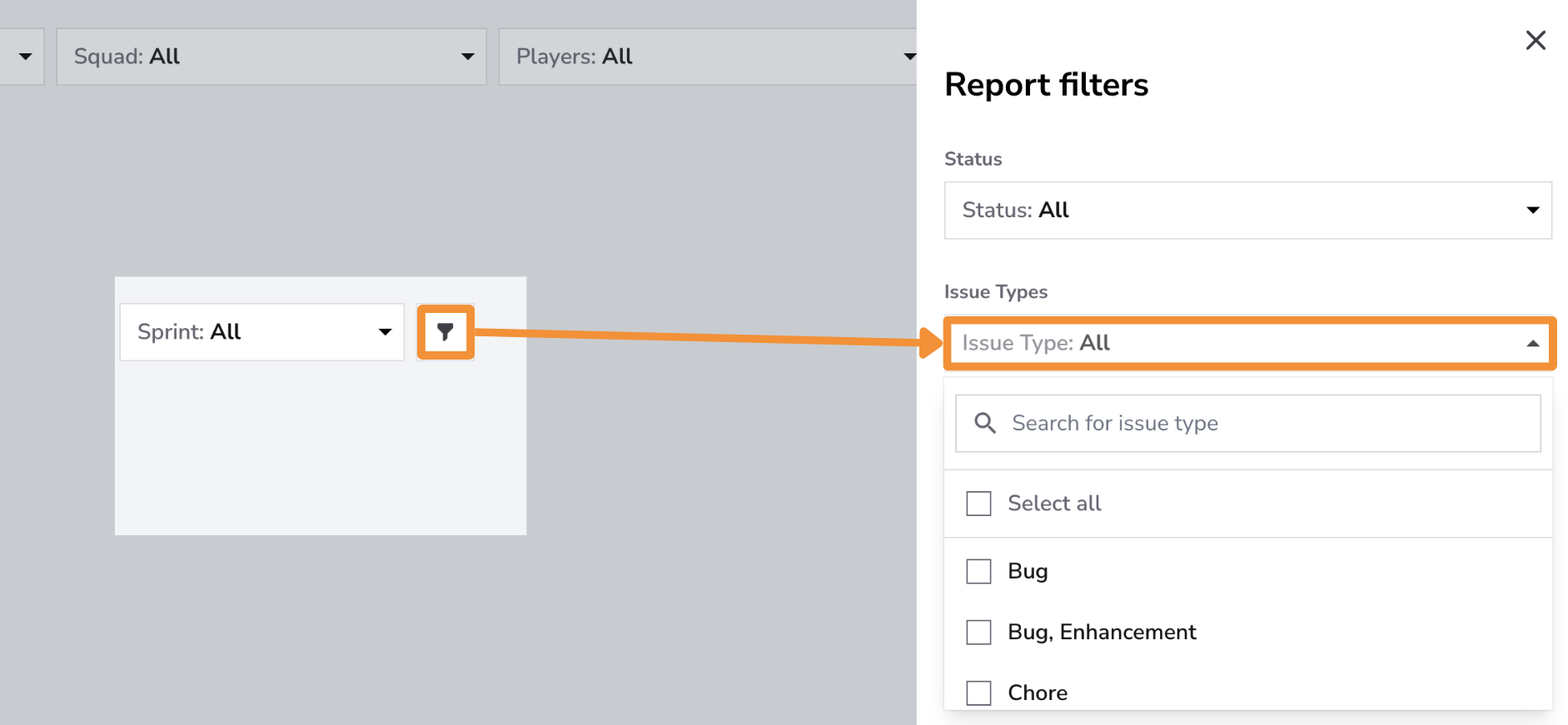
Use the Issue Type Filter to analyze Speed Snapshot metrics for specific issue types, such as Features, Bugs, Enhancements, or Hotfixes, or to view data across all issue types. This filter helps teams understand how different types of work impact delivery speed, such as identifying longer PR Cycle Times for complex features or ensuring quick resolution of critical hotfixes. Monitoring metrics by issue type enables teams to prioritize effectively and maintain a balanced, efficient workflow.
Controls
The options in Controls follow the selected card:
- PR Cycle Time: Statistical Measure, Chart Settings, and PR Cycle Time Stages.
- Issue Cycle Time: Statistical Measure and Chart Settings.
- Deploys Frequency in Days: Statistical Measure only.
Statistical Measure offers Average, Mode, and Percentile. Chart Settings offers Trendline and Regression line. For PR Cycle Time, keep at least two stages selected; Mode uses all five stages and disables stage selection.
Click the adjustments button on the Controls bar and select Save after choosing your options. See the Controls guide for details.
Best Practices for Using the Speed Snapshot Report
-
Regularly Review Key Metrics: Monitor PR Cycle Time, Deploy Frequency, and Issue Cycle Time closely to assess the team’s performance and identify areas for improvement.
-
Encourage Continuous Deployment: Promote a culture of frequent, smaller deployments to reduce the time to market for features and fixes.
-
Foster Efficient Collaboration: Use insights from this report to encourage better communication and collaboration among team members and ensure that tasks move through the workflow without unnecessary delays.
Conclusion
**The Speed Snapshot Report offers a quick and comprehensive overview of your team’s development velocity. By focusing on PR Cycle Time, Deploys Frequency, and Issue Cycle Time, teams can identify bottlenecks, optimize their processes, and ensure they are delivering software quickly and efficiently.