DevStats provides an API for submitting data about deploys. This tutorial focuses on submitting deployment data via the DevStats API to enable more accurate deployment tracking for the Deploy metric and DORA metrics snapshot.
Tip: Integrate the DevStats Deploys API with your CI/CD deployment pipeline to push deploy metrics directly to DevStats.
☑️ Prerequisites
Before getting started, ensure you have:
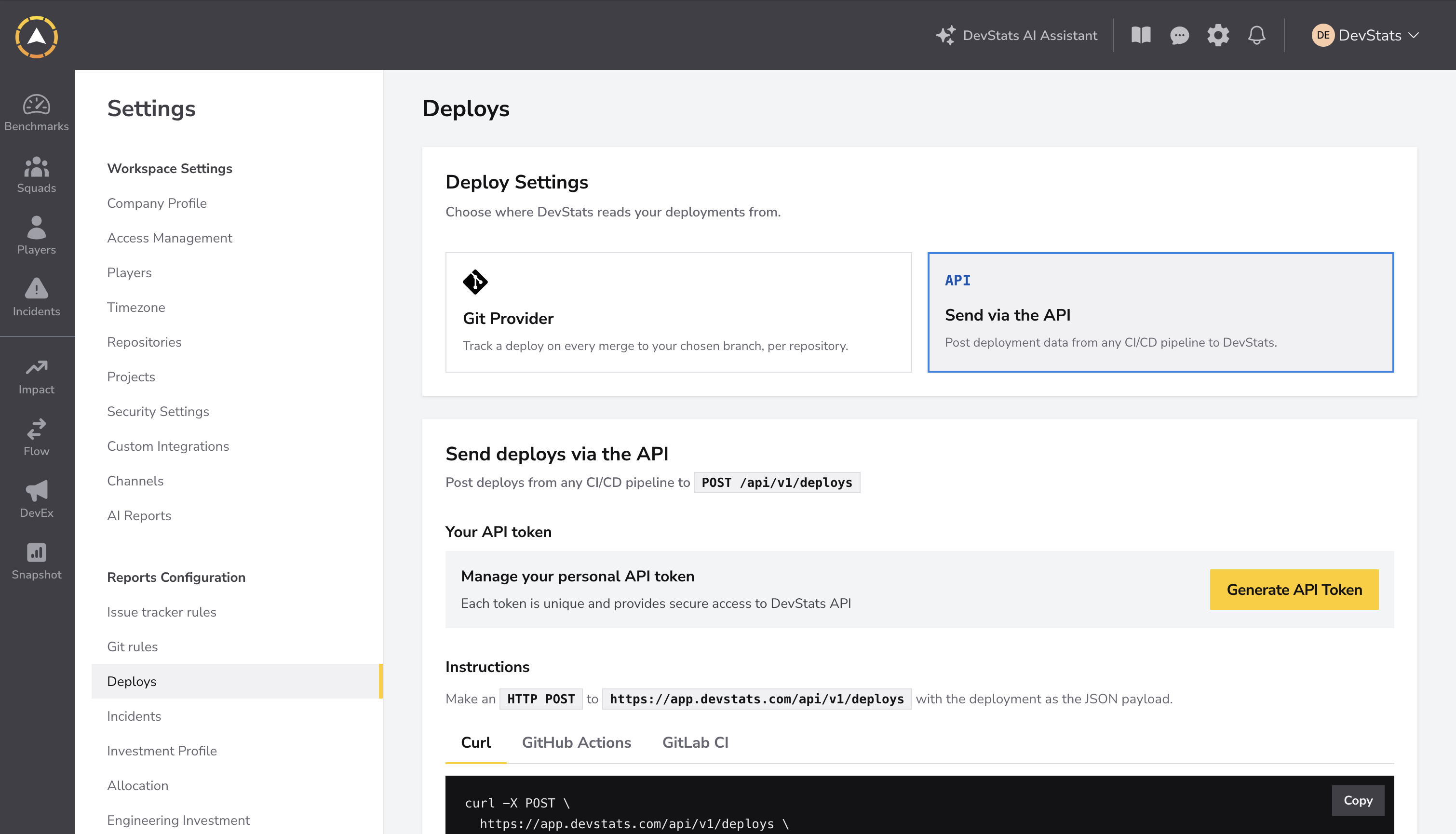
- An API token to authenticate requests. Manage your token under Settings → Deploys → Send via the API.
- An existing repository in a DevStats workspace you belong to. Workspace owners or administrators can change the deployment source.
- A tool like Postman (UI) or cURL (CLI) to send API requests.
Step 1: Create a New Deploy
To create a new deployment, send a POST request with the following details:
Fields
- Repository (
repository, required): The full name of an existing repository in your workspace, using the formatorganization/repository. - Deployed At (
deployed_at, required): The deployment date in ISO 8601 format (e.g.,2024-07-20T15:30:00+00:00). - Commit SHA (
commit_sha, optional): The deployment commit SHA, with 7–40 hexadecimal characters.
Request Configuration
- Endpoint:
https://service.devstats.com/api/v1/deploys - Headers:
Accept: application/jsonandContent-Type: application/json - Authorization:
Bearer YOUR_API_TOKEN(Replace this value with your API token)
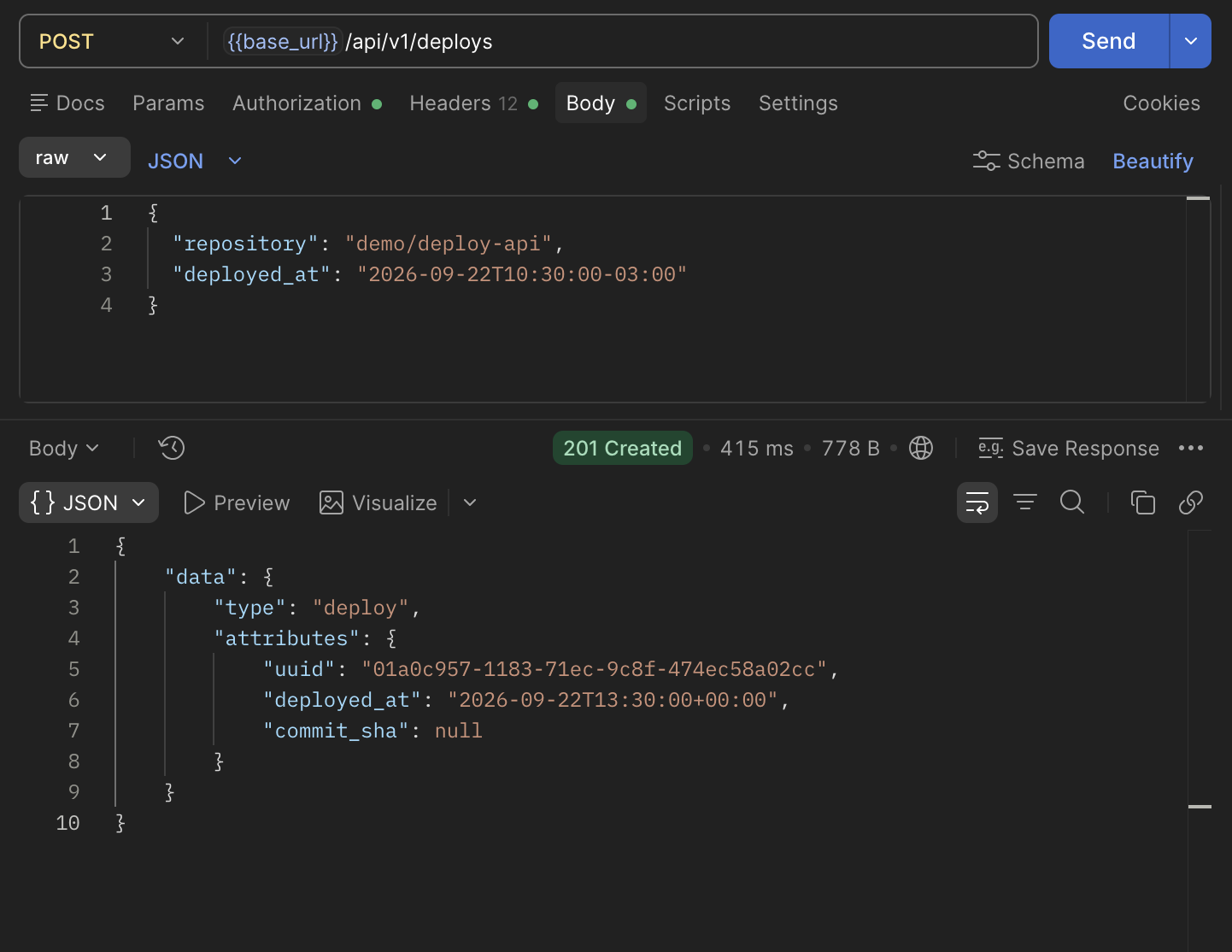
Here is an example POST request body. Replace organization/repository with your repository full name:
{
    "repository": "organization/repository",
    "deployed_at": "2024-12-09T15:30:00-03:00"
}
Successful Response
A successful request returns 201 Created with data.type set to deploy. The deployment UUID, timestamp, and optional commit SHA are returned in data.attributes.uuid, data.attributes.deployed_at, and data.attributes.commit_sha.
Example in Postman using local demo data. The base_url variable points to the API URL.
Step 2: Select the API Deployment Source
To use API-submitted deployments in Deploy and DORA metrics:
- As a workspace owner or administrator, open Settings → Deploys.
- Select Send via the API under Deploy Settings.
- Click Save Settings.
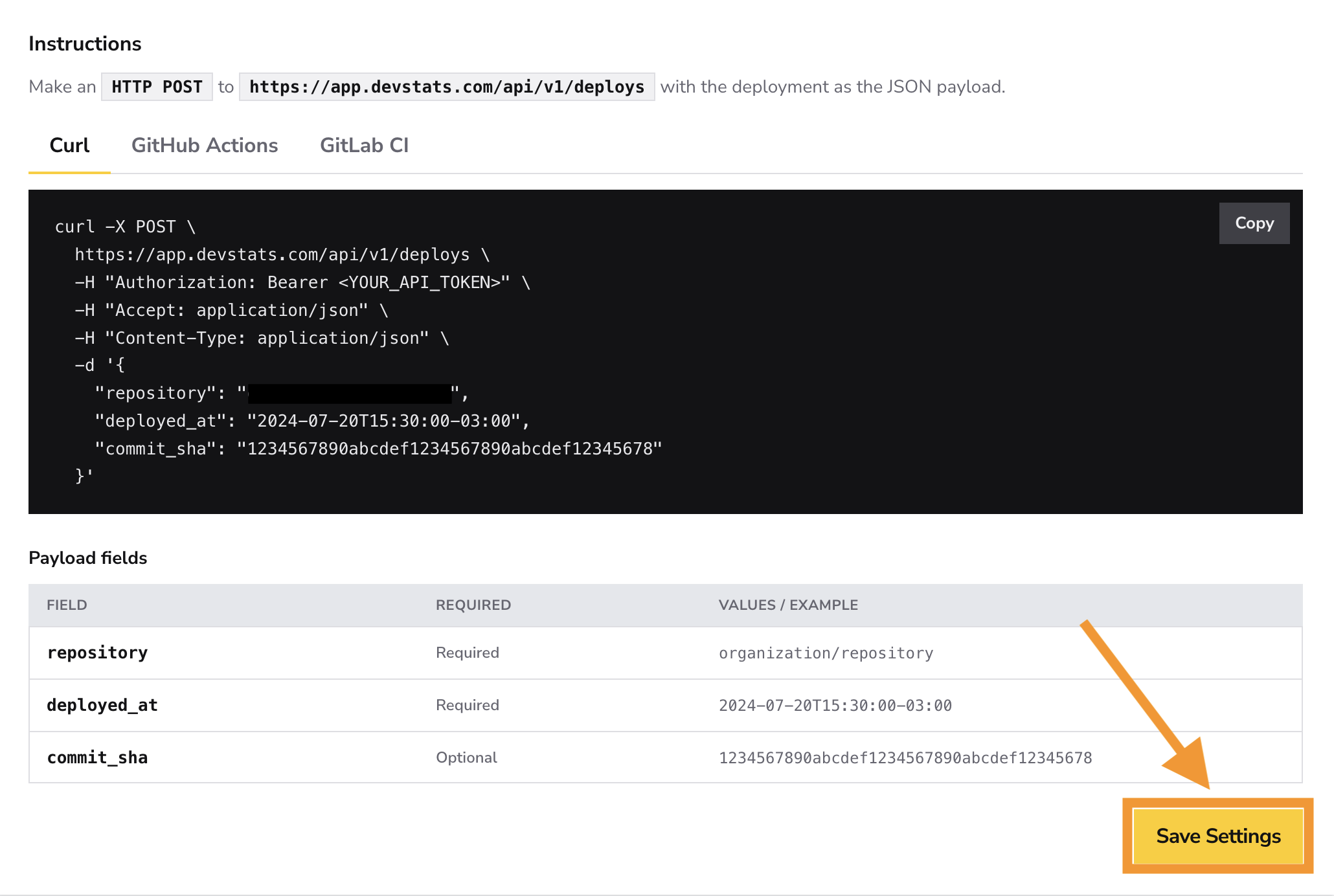
This selects the deployment source for the workspace. The page also provides API token management, cURL, GitHub Actions, and GitLab CI examples, and the accepted payload fields. See Deploys settings for more details.
Step 3: Verify Your Deployment
Return to Deploy or DORA and select a date range that includes the deployed_at timestamp. Check that your repository and squad filters include the repository used in the request.
Deployment processing and report cache updates run in the background. A 201 Created response confirms creation; allow processing to finish before checking the metrics. If the deployment is missing, confirm that Send via the API was saved as the deployment source.